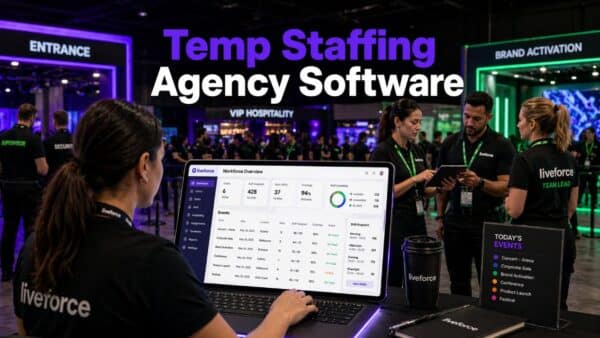


Planning an event takes precision. Whether it’s a brand activation, corporate conference, or music festival, one of the biggest challenges event professionals face is figuring out how many staff for an event they actually need.
Get it wrong, and the results are all too familiar: long queues, poor service, tired staff, and unhappy clients. But with the right approach – and the right tools – staffing can go from guesswork to a data-backed process that ensures smooth operations and successful outcomes every time.
This guide walks you through how to determine the ideal number of staff for any event, key factors to consider, and how Liveforce can make the entire process faster, easier, and more efficient.
Real-World Example
| Role | Ratio | Number of Staff |
|---|---|---|
| Waiters | 1:12 | 25 |
| Bartenders | 1:50 | 6 |
| Supervisors | 1:75 | 4 |
| Hosts/Registration | 1:75 | 4 |
| AV Technicians | 1:100 | 3 |
| Cleaners | 1:100 | 3 |
| Security | 1:75 | 4 |
| Total: Around 45–50 staff members, depending on venue layout and timings. | ||
Why Getting Staffing Levels Right Matters
Staffing is one of the biggest determinants of an event’s success. Too few team members, and service suffers. Too many, and costs spiral. Finding that balance is essential not only for the guest experience but also for your profitability and reputation.
Getting the numbers right helps you to:
- Deliver exceptional guest experiences.
- Maintain smooth operations across multiple touchpoints.
- Keep staffing costs under control.
- Meet compliance and safety requirements.
- Protect your brand and client relationships.
In an industry where margins are tight and expectations are high, efficiency in workforce planning is key.
Key Factors That Determine How Many Staff You Need
There’s no one-size-fits-all formula – but understanding these core factors will help you calculate event staffing levels more accurately.
1. Type of Event
Different events have different operational demands.
- Corporate Events & Conferences: Require front-of-house staff, registration teams, AV technicians, and hospitality crew.
- Festivals & Outdoor Events: Need large teams across stages, bars, security, ticketing, and clean-up crews.
- Experiential Activations: Often demand brand ambassadors, promotional staff, and tech-savvy teams for interactive zones.
- Hospitality Functions: Typically rely on a clear ratio of staff to guests – for instance, one server per 10–12 guests.
Understanding the nature of your event is the first step to deciding how many roles you’ll need to fill.
2. Guest Numbers and Flow
The total number of attendees and how they move through the event directly affects staffing needs.
- A seated dinner for 100 people requires far fewer staff than a walk-in trade show with constant footfall.
- High guest turnover events (like festivals or exhibitions) may need rotating shifts to prevent fatigue.
Rule of thumb:
- 1:10 ratio for table service events.
- 1:50 for registration or check-in.
- 1:75–100 for general hospitality or crowd management (depending on risk level).
Use these ratios as starting points, then adjust based on complexity and service expectations.
3. Venue Layout and Logistics
A single ballroom with central catering is far easier to manage than a multi-zone festival site or multi-level conference centre.
Consider:
- Distance between zones or service areas.
- Number of entrances, bars, and stations.
- Accessibility and transport for staff.
- Any equipment or technical setup required.
Larger or more complex venues often require additional team leaders or runners to coordinate movement and communication.
4. Duration and Schedule
Event length has a huge impact on staffing requirements.
- For events running over multiple days, plan overlapping shifts to maintain energy levels and coverage.
- Include buffer time for setup, rehearsals, and breakdown.
- Always account for breaks, overtime, and potential last-minute replacements.
A structured shift plan ensures that the right people are in the right place at the right time – without burnout.
5. Special Roles and Skills
Some positions require specialist expertise, certifications, or briefings – for example:
- Security and crowd control
- Technical crew (lighting, sound, staging)
- First aid or medical support
- Brand-trained ambassadors
The more skilled or regulated the role, the earlier you should confirm numbers to ensure availability and compliance.
Common Challenges in Event Staffing
Even with the best planning, managing a large event workforce can be chaotic. Many agencies still rely on spreadsheets or disconnected systems, which often leads to:
- Overbooking or underbooking staff.
- Confusion about shift times or roles.
- Last-minute cancellations and no-shows.
- Compliance or right-to-work risks.
- Payment delays or errors.
According to the CIPD, 65% of staffing agencies cite scheduling inefficiency as their top operational challenge. These issues not only cost time and money but also damage trust between agencies, crew, and clients.
How to Calculate Staffing Needs for an Event
Here’s a practical approach you can use to determine how many staff for an event you’ll need:
Step 1: Define Your Event Zones
List every operational area – entrances, catering, bar, stage, registration, cleaning, security, tech, etc.
Step 2: Assign Ratios or Standards
Use general staffing ratios as your baseline (as shown earlier), then adjust for guest volume and service level.
Step 3: Add Supervisors and Floaters
Always include team leads or floaters to handle emergencies or reallocate staff during busy periods.
Step 4: Factor in Shift Rotations
For long events, double coverage may be required for peak hours or overnight shifts.
Step 5: Review and Optimise
Use post-event data or digital scheduling tools to analyse performance and fine-tune for future events.
When done correctly, this process allows you to plan accurately, stay compliant, and keep your team engaged.
How Technology Simplifies Staffing Decisions
Modern workforce management tools make it easy to handle complex staffing needs – and that’s where Liveforce comes in.
With Liveforce, you can:
- Plan and schedule staff effortlessly: Create detailed rosters across multiple projects and venues in minutes.
- Automate communication: Send instant shift updates, reminders, and changes to all crew members.
- Ensure compliance: Verify right-to-work documentation and certifications from a single dashboard.
- Track live performance: Monitor attendance, last-minute changes, and feedback in real time.
- Build a loyal workforce: Keep your best crew engaged with easy job access, transparent payments, and clear communication.
In short, Liveforce turns the complicated question of “how many staff for an event” into a structured, data-led process.
The Cost of Getting It Wrong
Overstaffing wastes resources and eats into profit margins. Understaffing risks poor guest experiences, safety issues, and damage to your brand. Both scenarios lead to unnecessary stress and lost revenue.
By introducing structure, visibility, and automation into workforce planning, you can eliminate the uncertainty and focus on what truly matters – delivering a successful event.
Event Staffing in Numbers
- 47% of event organisers expanded staff numbers in 2024 (Event Industry News).
- 11% YoY growth in UK temporary staffing (Recruitment Industry Trends, 2024).
- 65% of agencies report scheduling inefficiencies (CIPD, 2023).
- £30bn+ estimated value of the UK temporary staffing sector.
These figures show that the event staffing market is booming – but also becoming more complex. Efficient management isn’t optional; it’s essential.
How Liveforce Helps You Plan the Perfect Team
Whether you’re running multiple festivals or managing hospitality shifts for sports events, Liveforce is built to help you scale.
With Liveforce, you can:
- Manage multiple clients and events at once.
- Assign shifts and communicate changes instantly.
- Keep crew data, documents, and performance notes all in one place.
- Give your team control through the Crew App – where they can view jobs, update profiles, and track payments.
The result? A smoother workflow, happier clients, and a reliable workforce that shows up ready to deliver.
Figuring out how many staff for an event doesn’t have to be complicated. By breaking down your event into clear zones, using logical ratios, and applying workforce planning tools like Liveforce, you can remove the guesswork and plan with confidence.
The right number of people in the right roles – that’s what makes an event succeed.
Ready to plan smarter?
Streamline your event staffing and scheduling with Liveforce – the easy way to manage teams across every project. Book your demo now!
FAQs
How do I calculate how many staff I need for an event?
Start by breaking your event into zones – such as registration, catering, security, and tech. Then apply standard ratios (for example, one server per 10–12 guests or one security guard per 75 attendees). Adjust these based on complexity, guest flow, and service level. Tools like Liveforce make it simple to plan and adjust staffing numbers across multiple events in one dashboard.
What factors affect event staffing levels?
Key factors include the type of event, number of guests, venue layout, duration, and required roles. For example, a festival with multiple stages will need far more support crew than a corporate dinner. Liveforce helps agencies visualise these factors, ensuring every shift and role is covered efficiently.
What is the ideal staff-to-guest ratio for events?
While it varies by event type, a few general guidelines apply:
-
1:10–12 for table service events.
-
1:50 for bar service or registration.
-
1:75–100 for general hospitality and crowd management.
These ratios are a starting point — use event data and past performance to fine-tune your planning in Liveforce.
How can I avoid overstaffing or understaffing an event?
Use data and scheduling tools instead of guesswork. With Liveforce, you can forecast staffing needs, track real-time availability, and communicate instantly with crew. This helps you fill gaps quickly and avoid unnecessary costs from overbooking staff.
What’s the best way to manage large event teams?
Centralise your scheduling, communication, and compliance tracking. Spreadsheets can’t keep up with multiple events and hundreds of crew members. Liveforce gives you an end-to-end view of every event, letting you assign shifts, track attendance, and keep your workforce engaged – all from one platform.