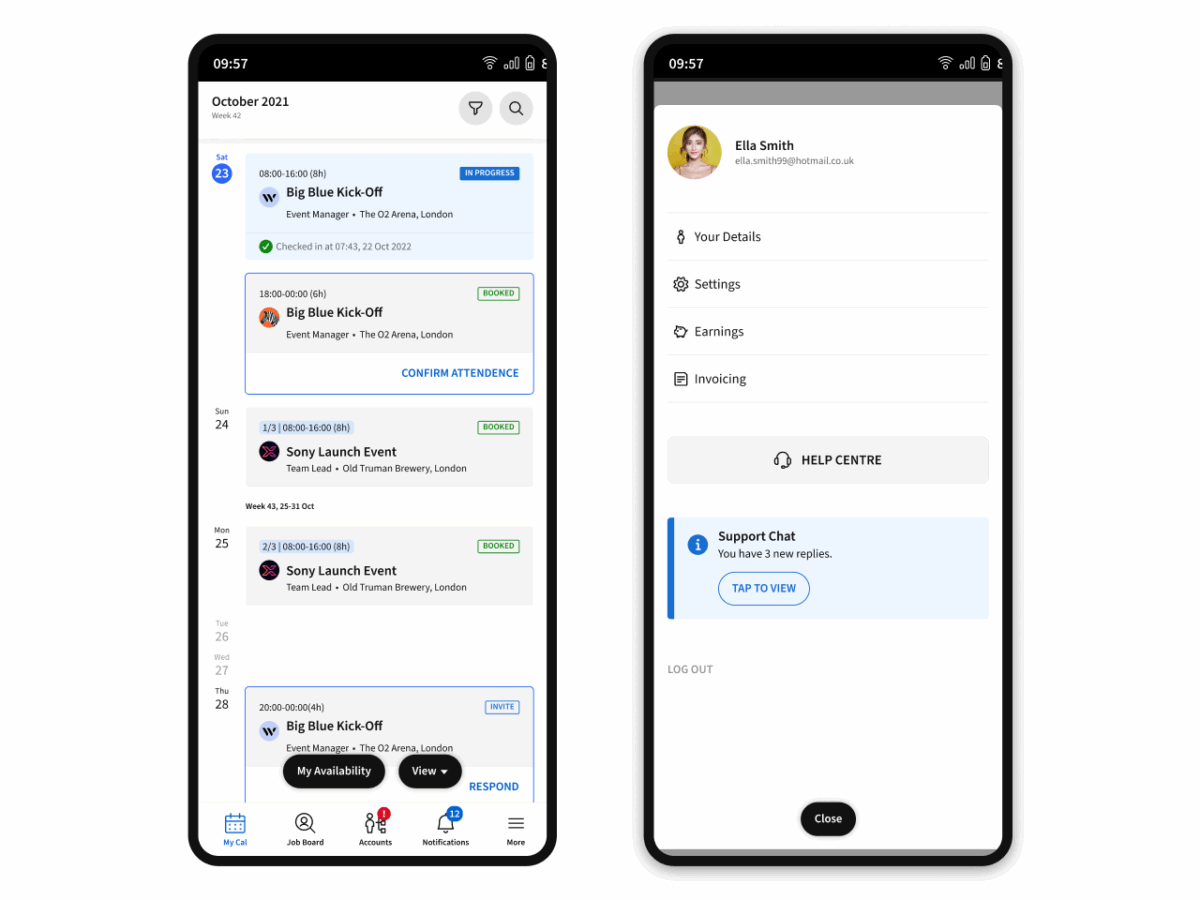
Phase 1 of the redesigned Liveforce Crew App has officially landed! Built from crew feedback and designed for everyday usability, the new look introduces a cleaner interface, smoother navigation, and smarter tools that make it easier than ever to manage work on the go.
This first phase marks the start of a comprehensive redesign – bringing simplicity, modern visuals, and improved connections between the crew and agencies.
Why the New Look?
We’ve listened carefully to our community and redesigned the Crew App to make it simpler, smoother, and more enjoyable to use. The refresh is all about:
A modern, consistent design – cleaner layouts, fresher colours, and improved spacing make everything easier on the eye.
Easier navigation – get where you need to go with fewer taps and better flow.
A nicer place to spend time – whether you’re checking your next job, browsing an agency’s page, or updating your details, it should feel great to be here.
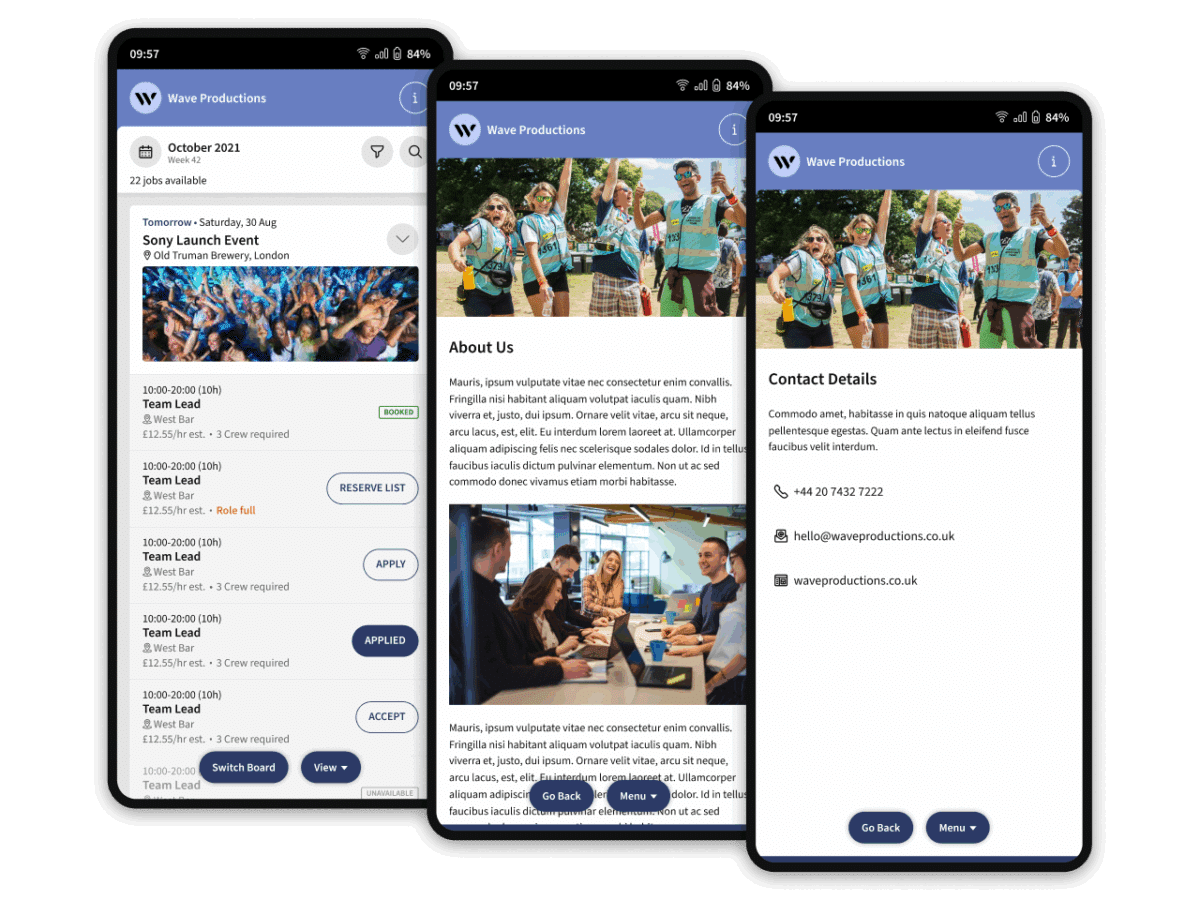
Clearer agency signposting – quickly see which pages, jobs, and info belong to each agency you work with.
This is only the beginning, and every step forward is shaped by crew feedback.
What’s New in Phase 1
Here’s what you’ll see live in the app today:
✨ Cleaner, More Modern Interface
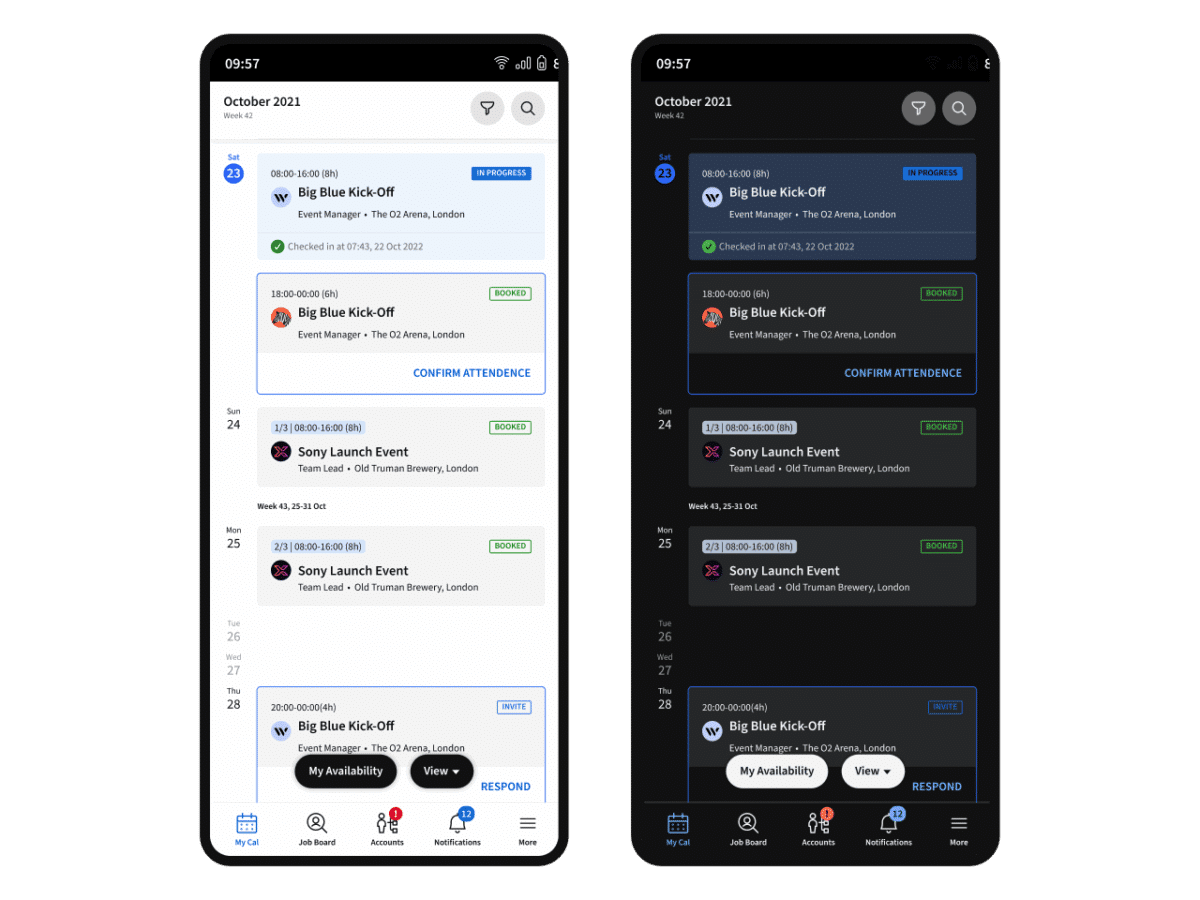
The visual overhaul removes clutter and sharpens every page. The result is a consistent, polished experience across devices – faster to scan, easier to navigate, and more intuitive than ever.
📱 More Mobile-Friendly Navigation
The redesigned layout is built for one-handed use. Buttons and menus sit closer to your thumb, so you can browse jobs or update info effortlessly while you’re on the move.
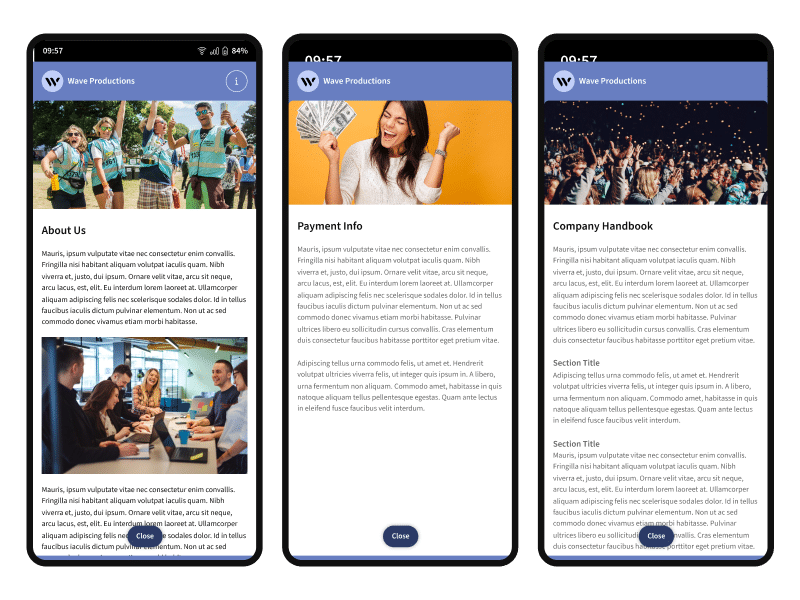
🏢 Agency-Specific Pages
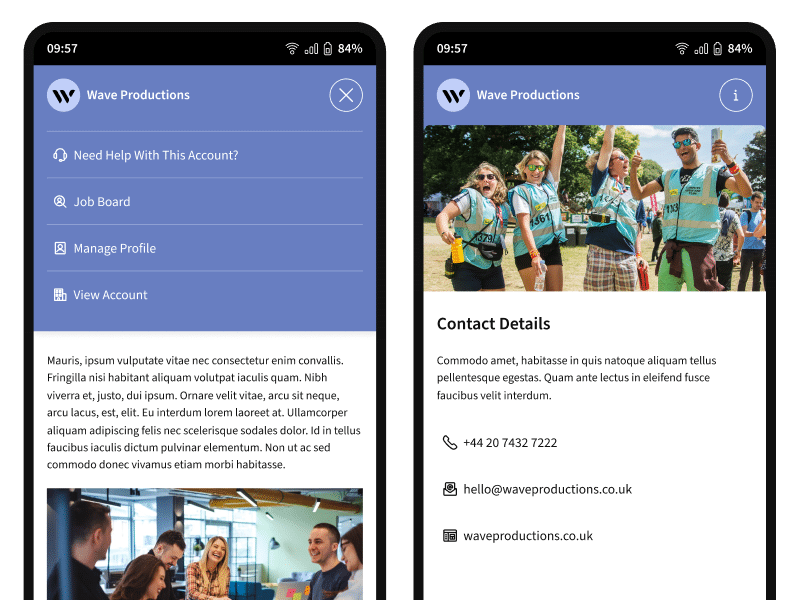
Each agency now has its own branded space within the app – complete with their logo, colours, and quick links to key details. It’s easier to manage multiple agencies and instantly recognise who you’re working with.
📋 Company Info Pages
Agencies can now share important information, including payment details, FAQs, and codes of conduct, in one clear, central location. Crew can find everything they need to know before accepting or starting a job.
More Control & Customisation
With this update, agencies now have even greater control over how their brand appears in the Crew App. The new tools make it easier to personalise your agency’s presence, share essential information, and connect directly with crew.
⚙️ Set Custom Colours
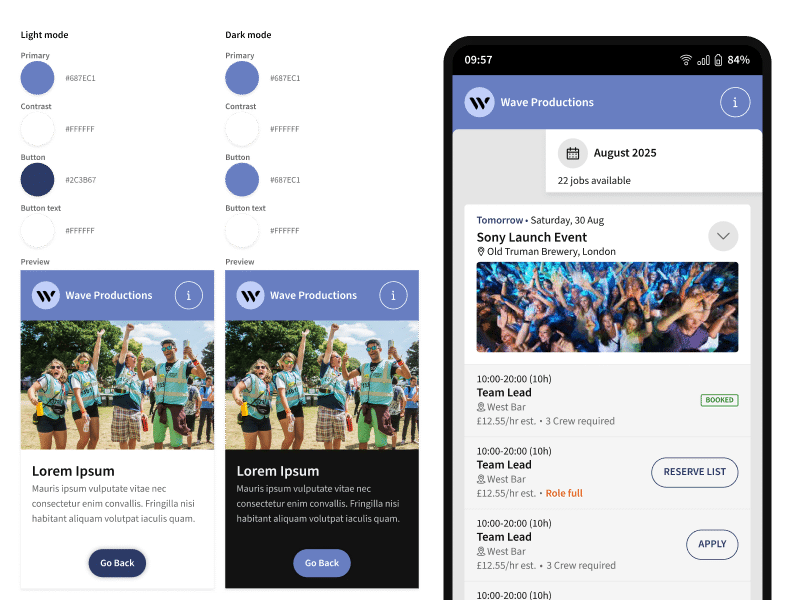
Set custom colours for light and dark modes directly in your Admin App settings – these colours are reflected across the app pages linked to your agency, making it clear to Crew that it’s you.
Add web links and contact details in your Admin App settings. Crew can now find this information quickly through the improved support flow and agency quick links.
Create company pages, such as payment information, FAQs, or your code of conduct, and decide which ones to make visible to applicants and which to share with approved Crew members.