
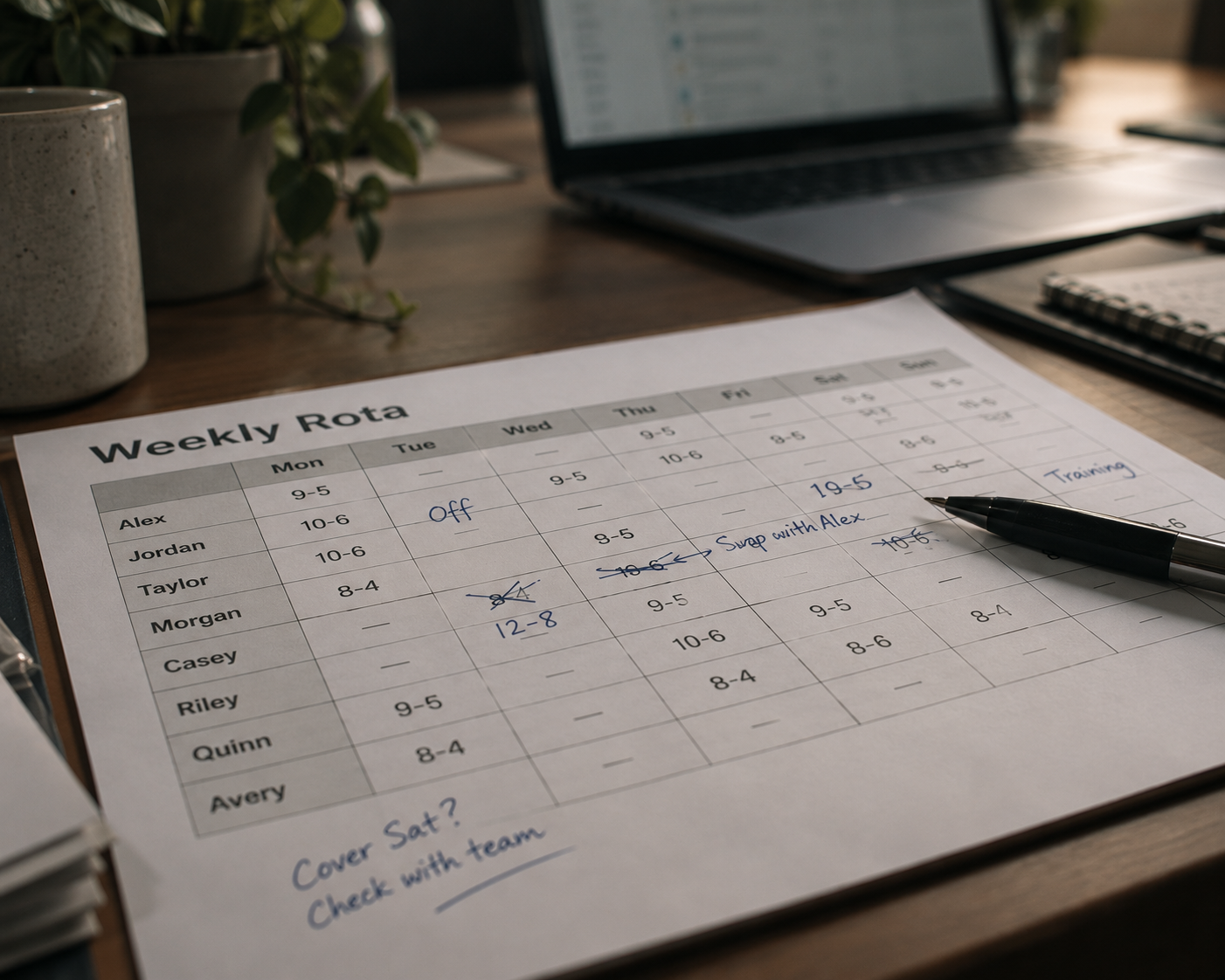
WHERE ROTA TOOLS START TO STRAIN
Great when the pattern holds, harder when the details change
Rota tools work brilliantly when the pattern is predictable. But the friction starts when your workforce gets bigger, more flexible and less predictable, and the operation no longer fits neatly into a repeating rota.

More setup before you get moving
Building rosters, importing people, configuring rules and adapting processes can turn a simple scheduling problem into a much bigger implementation.

The rota can become an island
The schedule might be organised, but availability, worker details, documents, communications and worked hours can still live elsewhere.

Real life doesn’t follow the rota
Drop-outs, swaps, changing times and last-minute cover can create friction when the system expects the original pattern to stay intact.

Guardrails can become roadblocks
Compliance rules are useful, but rigid settings can sometimes block sensible exceptions or urgent changes that managers need to make.

PLAN BY EVENT
Plan around the event, not the working week
Rota tools work brilliantly when the pattern is predictable. But when the people, roles, locations and requirements change from one booking to the next, you need something designed to move with them.
-
Build each event around its own client, venue, roles, timings and requirements
-
Reuse successful event setups when a booking returns, instead of rebuilding everything from scratch
-
See multiple events, locations and teams together, even when they are all happening on the same day
-
Keep the plan shaped around the booking as details change, rather than forcing everything into a repeating weekly pattern

YOUR WHOLE WORKFORCE
Choose the right crew for the event in front of you
The best team won’t always be the same people. Start with your full workforce, then narrow it down by availability, skills, experience and what each booking actually needs.
-
See who’s available before you start assigning people to the event
-
Filter your workforce by role, skills and experience to find the strongest fit
-
Keep useful profile information and previous performance close when deciding who to book
-
Build a different team for every event without creating and maintaining separate rosters

EVERY CLIENT IS DIFFERENT
Different clients, different ways of working
One client needs an early call time, another a different role mix, rate or brief. Liveforce lets the details change from booking to booking, while your team keeps everything running from the same place.
-
Set roles, rates and shift details around the needs of each client and event
-
Keep briefs, dress codes, locations and important instructions attached to the booking
-
Reuse successful event setups when a client books again, without rebuilding everything from scratch
-
Let the details vary from client to client while your team keeps working from one consistent system

KEEP THE DETAILS WITH THE PERSON
Your workforce moves, their records stay connected
People may work across different clients, events and locations, but their important information shouldn’t get left behind. Liveforce keeps the records you need connected to each person, wherever they’re booked.
-
Keep right-to-work documents, licences and qualifications against each crew profile
-
See the information you need while building the team, without checking separate folders or systems
-
Filter your workforce by skills, roles and qualifications when deciding who to book
-
Keep each person’s records with them as they move between clients, events and locations

PAY AND BILLING
The shift ends, the numbers keep moving
Each shift already carries the client, role, rate and hours worked. Once those hours are approved, Liveforce keeps that information moving towards payroll and billing without rebuilding the numbers somewhere else.
-
Keep different rates connected to the client, role and shift they belong to
-
Review and approve worked hours against the original booking
-
Turn approved hours into payroll-ready and billing-ready reports without retyping the data
-
Keep figures organised by event and client, even when several jobs are running at once

Customer Stories
“All technology should speed you up – if it slows you down then it’s not doing its jobrun the whole business. We went from reactive to totally in control.”
Complete Works Staffing Agency

In numbers
Results when the rota never stays still
-
Around 80% less staffing admin time
WiseUp Team Building first looked at rota platforms built for hospitality and retail. They were too rigid for several events on the same day. With Liveforce, its staffing admin time has fallen by around 80%.
-
Around 80 events a year, each one different
Active Training World runs around 80 triathlon and running events a year. No two are identical. Each one starts as a copy of the last and is adjusted in minutes.
-
120+ client companies served from one system
Rollin Hero Staffing & Events serves over 120 client companies across seven US states. Event details, staff assignments and communication all run through Liveforce.
Each figure comes from the customer’s published case study.
FAQs
Frequently asked questions
You can, and for a small event that runs the same way each time, it holds up. The strain shows once the work stops repeating: different crew, a new venue and a different client every booking is a lot to ask of a tool built around a weekly rota. For most agencies, that point comes quickly.
A rota tool arranges a known team into a repeating pattern of shifts. Software built for events starts a step earlier: it holds a large pool of freelancers, helps you pick the right ones for a one-off booking, and carries their tickets, rates and briefings along with them. One keeps a weekly rhythm going; the other is made for work that changes shape each time.
Because a weekly rota assumes the same people, the same place and the same shifts. Agencies work the other way round: the crew, the venue and the client all change from one booking to the next, and much of the pool is freelance rather than on a fixed roster. A tool built for a steady weekly team ends up being worked around rather than worked with.
Yes. Each event carries its own roles, rates and client rules, so two jobs running on the same afternoon can pay differently and brief differently without a clash. When the hours come back, they stay tagged to the right event and client, ready to export for payroll and billing. A single flat rate per person is the thing a weekly tool cannot get past.
Most teams replace a stack of part-tools rather than add one more. If a weekly rota tool is all you use today, Liveforce takes its place for event work and gives you the pool, the compliance and the pay side in the same system. The aim is fewer moving parts, not another login to remember.
No. Bring your existing rota with you and your people, roles and usual shifts come with it, so setup is not a blank-page job. Setup help is included, and most teams are planning live events within their first week. You keep what already works and grow into the rest at your own pace.
