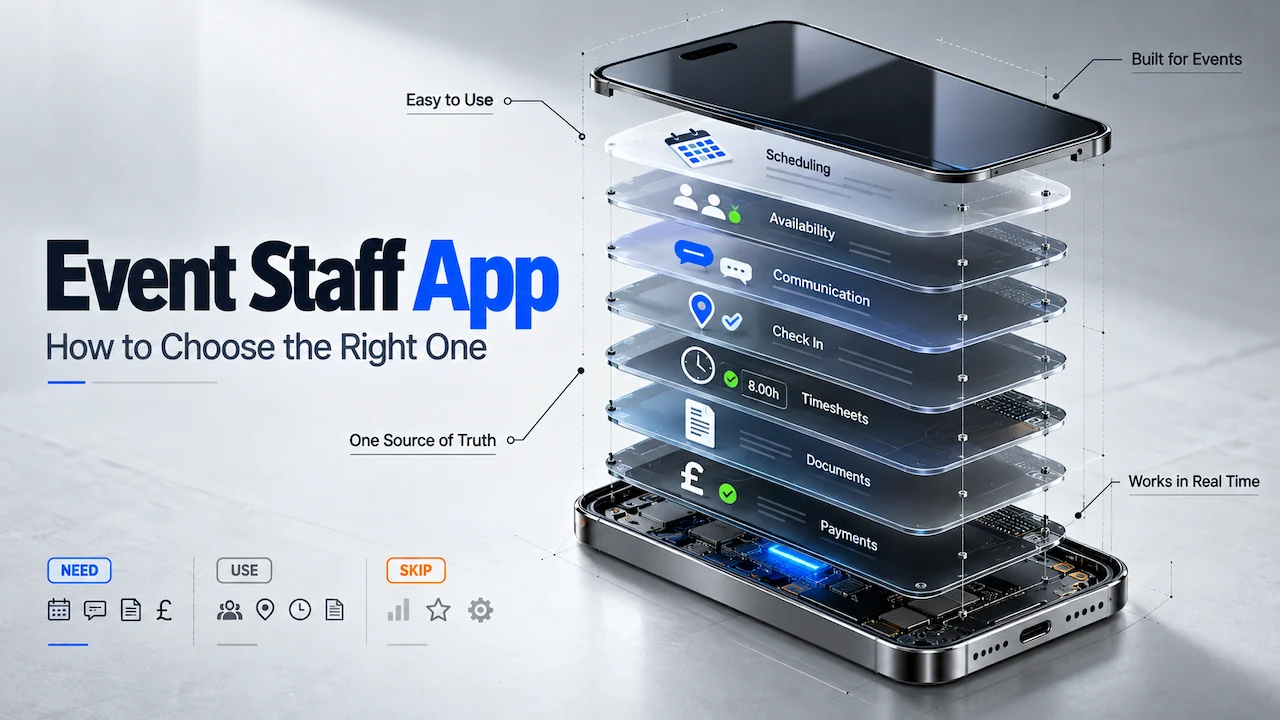
An event staff app is the mobile app an agency gives its own crew. Crew use it to see shifts, confirm availability, check in on site, and read the brief. The agency decides who joins, and crew only see work from agencies that have approved them.
Choosing the best event staff app comes down to whether it can run the crew you already have. It should do that from one place, with the office in control.
The choice usually comes up when WhatsApp groups and spreadsheets stop keeping up. A growing promotional agency feels it first when Saturday confirmations still go unanswered late Friday night.
The app your crew open decides whether shifts get confirmed and the door gets covered. It sits on top of the staff database behind it, so the two must work as one. Treat it as one part of an agency workforce management system, with features crew use and the control you keep.
What an Event Staff App Needs to Do for an Agency
The best app for managing event staff is one that crew can open without being chased. It also has to connect to the system the office schedules in.
Every event staff app has two sides:
- Crew use the phone side to accept shifts, read briefs, and check in.
- The office uses the admin side to post work, approve people and see who turned up.
Crew use the app, but the agency owns the relationship and the record.
Whatever app an agency picks, it should keep control of four things:
- Who joins. Crew complete their own profile, and the office approves each one before anyone can book them.
- Which shifts go out. The office chooses who is offered each shift, and offers reach only people marked available.
- What crew see. Briefs, call times, and directions go only to the crew booked on that shift.
- What gets recorded. Check-ins, approved hours and documents sit against each person and each shift.
An app that hands any of these to a third party is the wrong app for an agency. A major venue running matchday stewards and a promotional agency running sampling teams need the same four controls. The wider platform decision has its own guide on how to choose event staffing software.
What to Look for in an Event Staff App
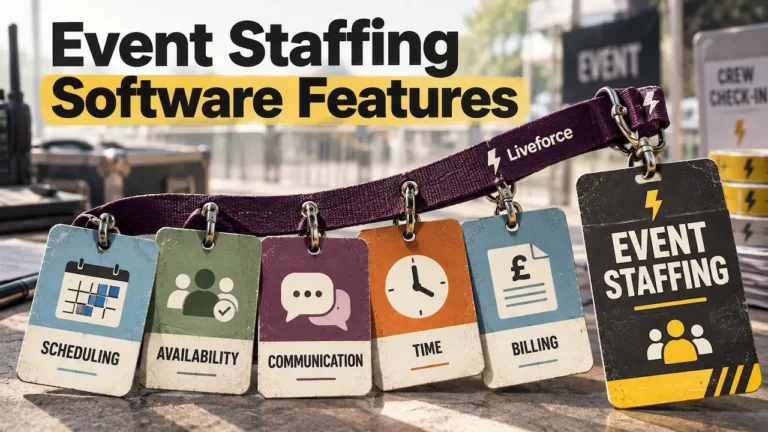
Each criterion below is something crew or office staff will touch every week. These eight criteria show how to choose the best event staff app in practice.
Use this table as a scorecard in demos. The last column is the question to ask each supplier.
Swipe to see the full table →
| Criterion | Why It Matters | What Good Looks Like | Ask in the Demo |
|---|---|---|---|
| 01Scheduling and shift offers | Offers sent to unavailable crew waste a day of replies. | Crew set their own availability, and offers reach only people who can work. | Can I offer one shift to every available crew member in one step? |
| 02Briefs and updates | Late changes are where event days go wrong. | Push, email or SMS to the crew on that shift only, kept in the app. | Show me a call-time change reaching one shift and nobody else. |
| 03Check-in | Clients ask who was on site, and when. | Own-phone check-in with location, photo and a site radius, syncing after poor signal. | What happens to a check-in made with no signal? |
| 04No-show reduction | Unconfirmed shifts turn into empty posts. | Confirm-to-attend, automatic reminders and cover from your own pool. | Where do I see unconfirmed shifts 48 hours out? |
| 05Staff database and certificates | A lapsed document can stop a booking. | One profile with availability, roles and certificate expiry dates. | Where do I see certificates due for renewal this month? |
| 06Crew adoption | An app crew ignore changes nothing. | One download, any phone or browser, one login across agencies. | How many taps from a shift offer to a confirmed booking? |
| 07Agency branding | Crew and clients should see your agency. | Your logo and colours as standard, with a white-label option. | Whose name do crew see when they open the app? |
| 08Hours to payroll | Retyped hours cause pay disputes. | Check-in times become timesheets the office approves. | How do approved hours reach our payroll software? |
Scheduling and Shift Offers in One Place
Scheduling is where the app earns its place each week.
Crew set their own availability, so offers only go to people who can work. Each booked shift lands in one calendar with the brief attached. That replaces the group message asking who is free on Saturday and the spreadsheet updated from the replies.
Availability set by crew keeps every offer pointed at people who can say yes.
Briefs and Updates That Reach the Right Crew
Event briefs change after the rota is set.
A call time moves or the entrance switches to the other side of the site. A good app lets the office brief crew in real time by push, email or SMS. Only the crew on that shift get the message, and it stays in the app to find again. A group chat buries the same update under hundreds of replies. It also shares every crew member’s phone number with the whole group, which matters under UK GDPR.
Event Staff Check-In With GPS and a Site Radius
Check-in tells the office who arrived, where and when.
Look for check-ins from the crew member’s own phone, with location and a photo. A radius around the site, often called geofencing, stops check-ins from a car park two streets away. Festival fields and stadium loading bays often have poor signal, so check-ins should sync once the connection returns.
The paper sign-in sheet goes, and the office can track arrivals with mobile check-in from anywhere.
Every shift should end with a confirmed name, a check-in time and approved hours.
Confirmations and Reminders That Reduce No-Shows
Many no-shows start days earlier, with a shift nobody confirmed.
The app should ask crew to confirm attendance before the shift, then send reminders automatically. When someone drops out, the office should offer the gap to available crew from its own pool. It ends the night-before ring-round, where silence gets read as a yes.
A Staff Database With Availability and Certificates
Every booking decision draws on the worker record.
Look for one profile per person, holding availability, roles, skills, and the certificates the agency collects. Expiry dates should show before booking, so a lapsed food hygiene certificate or SIA licence is spotted early. Crew should be able to upload renewals from their phone.
The folder of scans and the spreadsheet column nobody updates can then be retired.
An App Crew Will Open Without Being Chased
Adoption decides whether anything else on this list works.
Crew needs one download that works on iPhone, Android, or a browser. The first task should take seconds: accept a shift, read the brief, tap to confirm. It should replace the texts and calls crew sends the office today.
Many crew work for several agencies, so one login across all of them matters.
Agency Branding and a White-Label Option
Crew should see the agency’s name and colours when they open the app.
Briefs and push notifications then read as coming from the agency. Larger agencies often want a fully white-labelled crew app, listed in the app stores under their own name. It suits agencies whose crew identity is part of what clients buy, such as brand ambassador teams. Without it, every message your crew receive carries a supplier’s logo instead of yours.
Hours That Feed Payroll and Invoicing
Check-in and check-out times should appear on the timesheet without anyone retyping them.
The office approves hours against the booked shift, then sends them on. Ask how approved hours reach payroll and the client invoice, whether by report, export, or API. The app records and approves hours, while payroll stays in the system your agency already uses. Paper timesheets rebuilt from memory stop being the pay basis.
Event Staff App vs Gig Marketplace: Know the Difference
A management app runs the crew an agency already has. A gig marketplace app supplies on-demand workers to any business that posts a shift. Both live on a phone, and both show shifts. The difference is who the workers belong to, and who answers for them on the day.
If workers open an app to browse work from many businesses, it is a marketplace.
Clients book an agency because its people arrive briefed, presentable, and familiar with the venue. Recurring events depend on the same crew returning each season. A marketplace sends whoever accepts the shift first, often someone the agency has never briefed. That gives up the standards clients pay the agency for.
Control matters as much as quality. In a management app, the agency approves every profile and holds the documents it collected. Its crew records, check-ins, and hours stay in its own account. Cover for a dropout comes from the agency’s own pool of people who already know the brief.
Speed is the usual reason agencies look at marketplaces for late gaps. A management app covers the same need from inside the agency. Open shifts go to its own approved crew in one step, and names come back confirmed.
A marketplace suits a business with no crew of its own that needs one-off cover. An agency that supplies its own people to clients needs a management app. Settle that line first when working out how to choose the best event staff app. For the weekly routine of running that crew, see how agencies manage event staff day to day.
Cover from your own pool arrives already briefed, documented, and known to the client.
How to Choose the Best Event Staff App: A Five-Step Check
A polished demo shows an app at its best, with clean data and no weather. Your decision needs your own events, your own crew, and your busiest week. These five checks are how to choose the best event staff app with confidence:
- Start from your own events. List last quarter’s event types, roles, crew numbers and sites. Test each app against that list.
- Put it in front of real crew. Ask five regular crew to accept a test shift, read a brief and check in. Note where they get stuck.
- Check the office side as closely as the phone. Posting a shift, approving a profile and seeing live attendance should each take one screen.
- Check the record it leaves. Check-ins, briefs and approved hours should sit against each shift. The same profiles should keep compliance records organised for every worker.
- Test it at your busiest scale. Run the largest event of your season through the trial, across every site and client.
A large festival supplier and a small catering agency will weigh these checks differently. The festival supplier cares most about check-in at volume and poor signal. The catering agency cares about repeat shifts and food hygiene certificates. Both need one app their crew use and one record the office trusts.
Test the app on your busiest night, because that is when crew and clients judge it.
How Liveforce Works as Your Event Staff App
When briefs live in a group chat and hours sit on paper, nobody can prove who arrived. That gap shows up in client disputes, pay queries, and empty posts on the day.
Liveforce is the workforce management platform event-led agencies use to run their own crew.
- The office works in the admin platform, and crew work in an app connected to it.
- Shifts are offered to available crew from one schedule.
- Briefs and late changes go by push, email, or SMS to the crew on that shift.
- Each worker record holds availability, roles, and the certificates the agency collects.
- Check-ins carry location and a photo, inside a radius set around the site.
- Approved hours become payroll-ready reports, run by project or date range for the agency’s own payroll.
- A public API can also pass that data to other systems the agency runs.
Liveforce manages the crew an agency already has. It does not supply, place or pay workers, and it is not a marketplace.
The office and the crew work from the same live record, shift by shift.
See How Liveforce Runs Your Crew From One App
Clients come back to agencies that brief well and can prove who was on site. Book a demo to see Liveforce run your own crew, from the first shift offer to approved hours. Bring details of your busiest event, and the demo can be shaped around it.
FAQs: Choosing an Event Staff App
What should agencies look for when choosing an event staff app?
Agencies should look for availability-led scheduling, briefs that reach only the crew on a shift, and GPS check-in. A staff database with certificate expiry dates, automatic reminders and hours that feed payroll complete the list. Crew should find it easy, while the office keeps control of who joins and what they see.
How is an event staff app different from a gig marketplace app?
An event staff app manages an agency’s own crew, while a gig marketplace app supplies on-demand workers. The marketplace serves any business that posts a shift, and workers browse jobs from many employers. For recurring events, a management app keeps the same briefed crew coming back, under the agency’s own standards.
Can an event staff app reduce no-shows?
An event staff app reduces no-shows by asking crew to confirm attendance and sending automatic reminders before each shift. It also shows unconfirmed shifts early, so the office can offer gaps to its own available crew.
Is an event staff app suitable for large temporary workforces?
Yes, provided it handles scheduling, briefs and check-in for hundreds of crew across several events and clients at once. The test is whether admin stays flat as headcount grows, with one record per worker across every site.
How do you get crew to use a new event staff app?
Make the app the only home for shifts and briefs, and set a date to close the group chat. Start crew on one simple task, such as confirming their next shift, before adding check-in and timesheets.