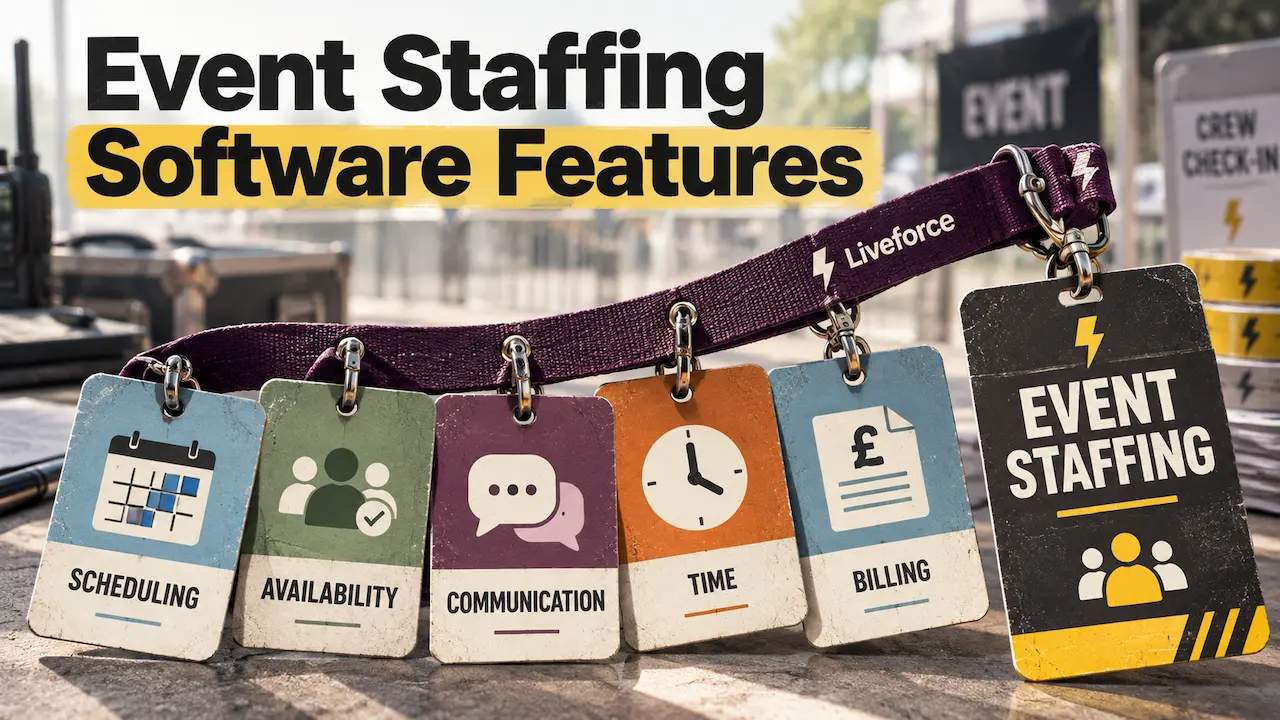
Agencies need five event staffing software features:
- Scheduling across clients and events comes first
- Staff pool with compliance records
- Next come briefings with confirmations, and check-in that becomes pay-ready timesheets
- The fifth is client-ready output, from crew portfolios to billing.
Together they make up the office side of event workforce management software, where most agency admin sits.
The list is for agencies running several clients’ events at once from one crew pool. Crew mostly see an app on their phone. The office carries everything behind it: client rules, rates, rotas and invoices. Each feature below covers what it must do and what to test in a demo. After the five comes advice on which to prioritise at your size.
What Features Should Event Staffing Software Include?
Event staffing software is the system an agency uses to run its own crew across clients and events. It schedules, briefs and checks in that crew. Then it turns their hours into pay and client billing.
It does not supply staff.
An agency answers to its clients as well as its crew. Each client brings its own sites, rates, dress codes and line-up requests. The software has to hold all those rules at once, for one shared pool of people. Spreadsheets cope with one client. With five, every change gets typed into several tabs, and sooner or later one is missed.
The event staffing software features that matter most are the ones an agency needs because it serves clients.
The scorecard below lists each feature, the demo test that proves it and the red flag to watch for.
Swipe to see the full table →
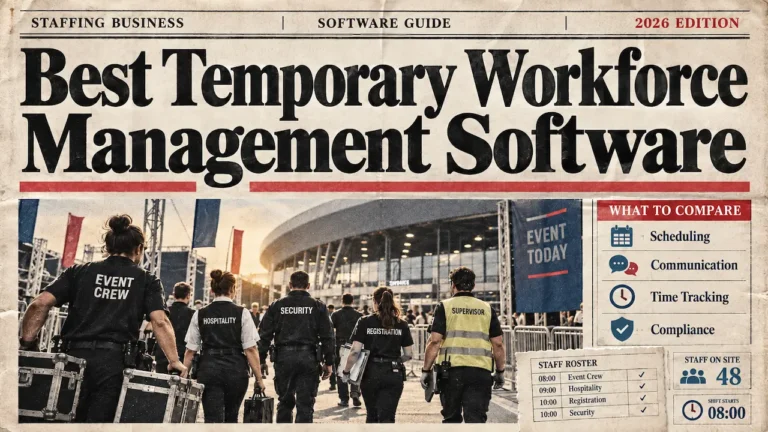
| Feature | What it must do for an agency | What to test in a demo | Red flag |
|---|---|---|---|
| 01Scheduling across clients and events | Run every client's events from one view, with clashes flagged. | Rebuild last month's busiest weekend and try to book one person twice. | One schedule for everyone, or clashes found only by hand. |
| 02Staff pool with compliance records | Hold skills, ratings, documents and expiry dates against each worker. | Search for licensed crew who are free on a given Saturday. | Documents stored outside the profile, or no expiry dates. |
| 03Briefings and confirmations | Reach the right crew for each job and record who confirmed. | Cancel a shift for the night before and time the cover. | Messages go to everyone, with no confirmation record. |
| 04Check-in and pay-ready timesheets | Prove arrival on site and turn hours into approved pay data. | Check in with no signal, then export one job's pay report. | Hours retyped into payroll, or no audit trail. |
| 05Client-ready outputs | Show clients the crew and bill them from the same hours. | Send a shortlist and pull one client's billing from approved hours. | Client billing built in a separate spreadsheet. |
Why Generic Workforce Management Software Features Fall Short
Generic workforce management software features assume one employer with a settled team on a weekly rota. Event agencies run changing crews on short shifts, often at a new site each weekend.
Every booking also has a client on the other side, with its own rates and expectations. A generic tool has no separate boards per client and no crew portfolios. It cannot bill a client from the same hours it uses for pay. Agencies then run the client side in spreadsheets. That brings back the double typing the software was meant to remove.
1. Scheduling Across Clients, Events and Roles
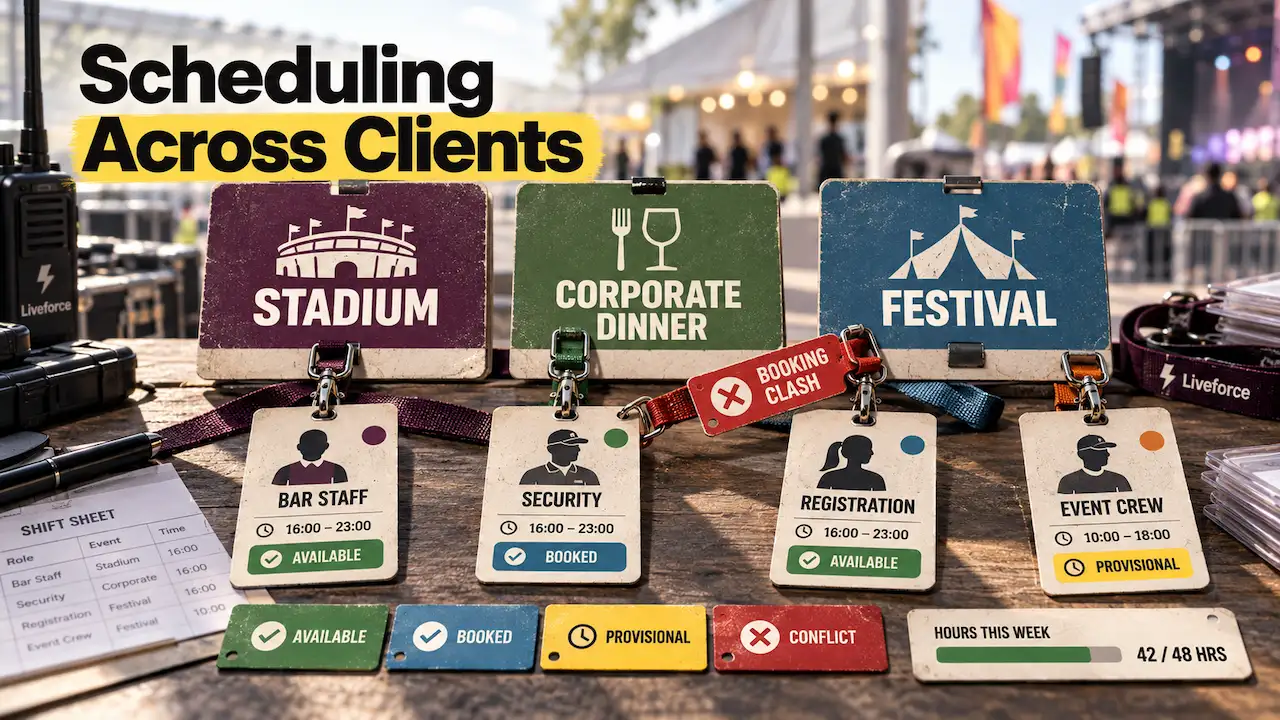
Multi-client scheduling lets an agency plan crew across several clients and events from one view, with no double bookings. Among event staffing software features, it is the one the office touches most often.
A growing agency’s Saturday might hold a stadium shift, a corporate dinner and a festival site. On spreadsheets, each client gets its own tab and availability arrives by group chat. A clash between tabs only shows up when one person is promised to two places.
A double booking should be caught when it is made, before any crew member confirms.
Good tools schedule crew across every client from one screen, with a separate board for each client or project. Crew set their own availability, so shift offers only reach people who can work. Colour coding by client, event or status keeps a busy weekend readable.
Hours rules matter too. Working Time Regulations set a 48-hour weekly average for most workers, unless they opt out (GOV.UK, 2026). Custom rules should flag crew nearing their maximum hours or days before anyone books them.
Provisional bookings let the office pencil someone in while a client confirms. Copying last year’s event, with its roles and shifts, saves rebuilding a repeat fixture.
In a demo, rebuild last month’s busiest weekend and try to book one person twice.
2. A Staff Pool With Skills, Ratings and Compliance Records
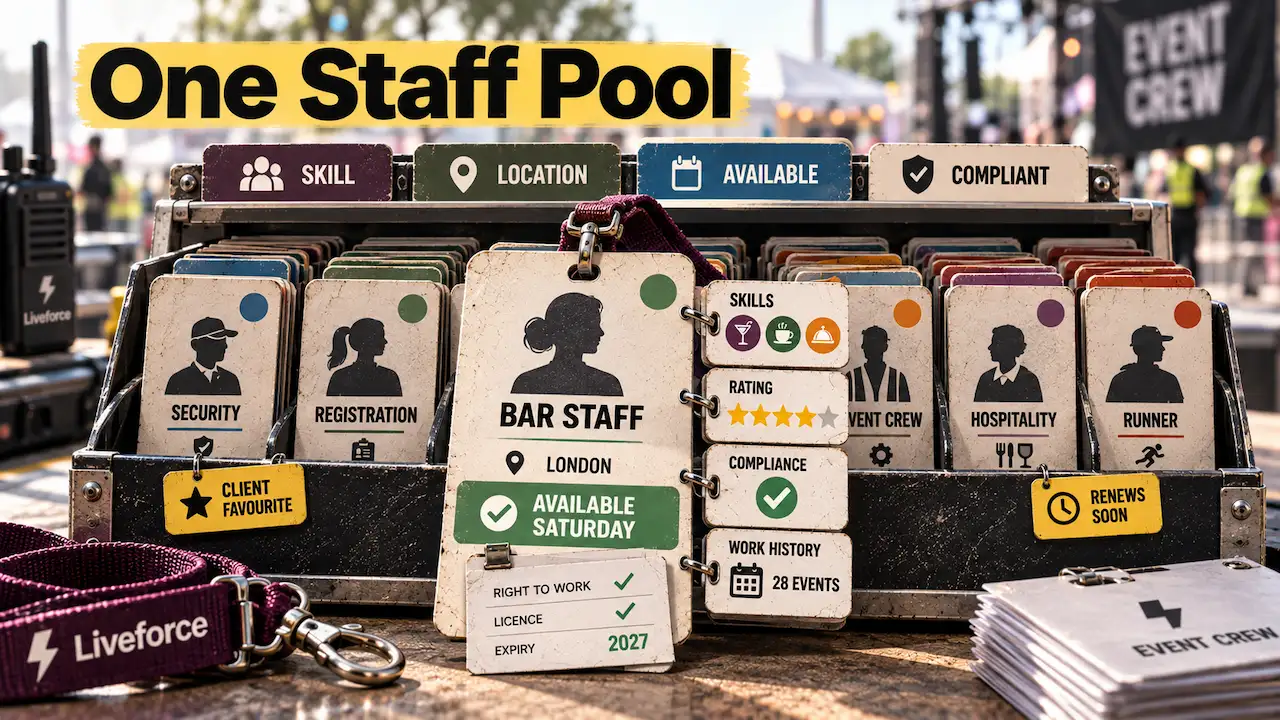
The staff pool is the agency’s single record of every worker, from skills and rates to documents and work history. Without it, contacts live on phones and documents sit in someone’s inbox.
For an agency, one pool serves every client. The office needs one staff database for every worker, searchable by skill, location, availability or compliance status. Clients remember the crew who served them well, so tagging those people makes rebooking quick.
Ratings and internal notes should stay visible to the agency’s team only. Employed staff, self-employed contractors and new starters who apply to the agency should all sit in the same pool.
The software keeps the compliance records, and the agency runs the checks.
Compliance belongs on the same profile. The agency carries out right-to-work, DBS and licence checks through official routes (GOV.UK, 2026). The software then holds the evidence, the check date and any expiry date against each person.
Tools that track the documents your agency collects show upcoming renewals before the next booking. They also show compliance status at the moment someone is booked.
In a demo, search for every licensed worker who is free next Saturday with documents in date.
How the Staff Pool Keeps Crew Data Secure
A staff pool holds right-to-work documents, contact details and pay rates for hundreds of people. Role-based access keeps each office user to the data their job needs. An audit trail logs every check and update, which helps when a client or auditor asks.
Retention rules matter as well, because UK GDPR says personal data must not be kept longer than needed (ICO, 2026).
Independent certification is the simplest proof to hand to a client’s security team.
Liveforce, for example, is SOC 2 Type II and ISO 27001 certified and GDPR compliant. Its Trust Centre holds the certificates and reports a security review asks for.
3. Briefings, Confirmations and Fast Reshuffles
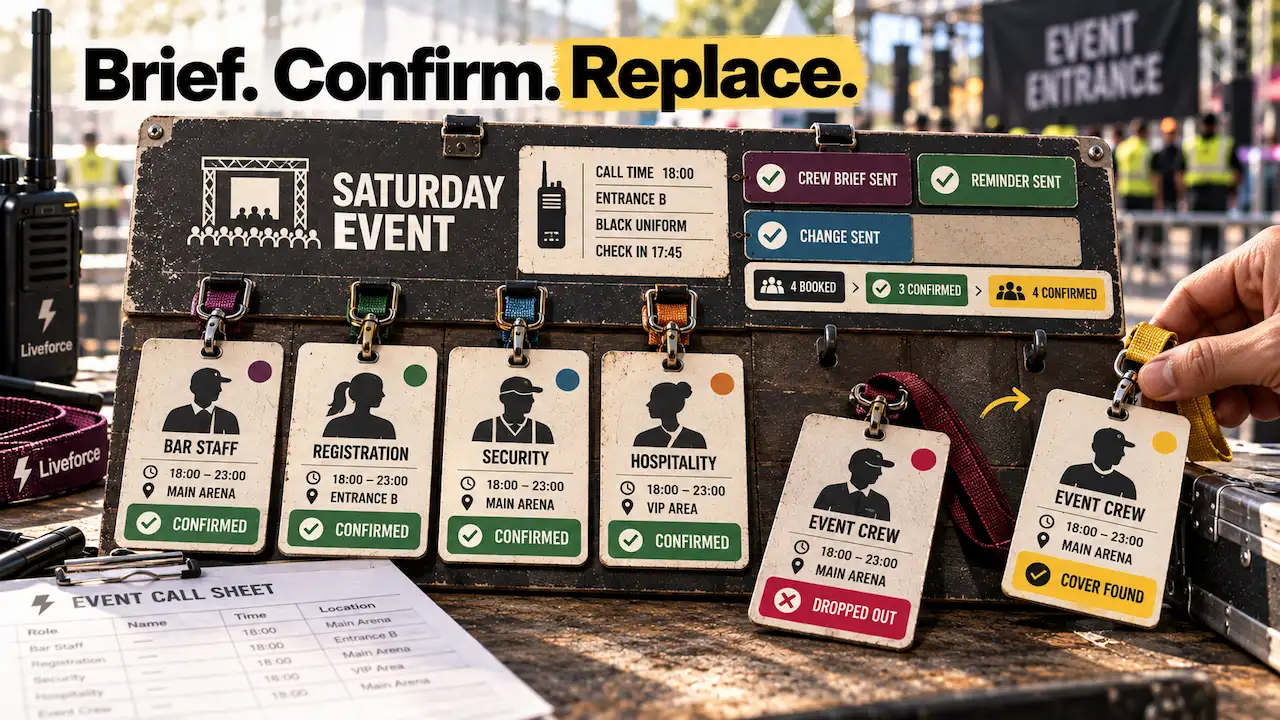
Communication features must reach the right crew for each job, get a confirmation back and update everyone when plans change. Without these event staffing software features, most agencies run on WhatsApp groups and a phone full of texts. A group chat sends every message to everyone and keeps no record of who confirmed.
The office should brief crew by role or team, or message one person, by email, push, SMS or in-app chat. Job chats should add and remove crew as bookings change. Reminders to confirm and to check in should go out on their own.
Company pages can answer routine questions on policies and payment, shown only to chosen crew. When a shift moves or is cancelled, the crew on it should get the new details straight away.
Every confirmation and every change should sit on the job, where the whole office can see it.
A 9pm drop-out shows whether these features work. The office filters for crew who are free and qualified, then sends them the shift within minutes. No-show alerts should reach admins the moment someone misses check-in.
Crew receive all of this in one app, which agencies can brand or white-label as their own. The crew-facing criteria have their own guide on choosing an app for your crew.
In a demo, cancel a shift for the night before and time how long cover takes.
4. Check-In on Site That Becomes Pay-Ready Timesheets
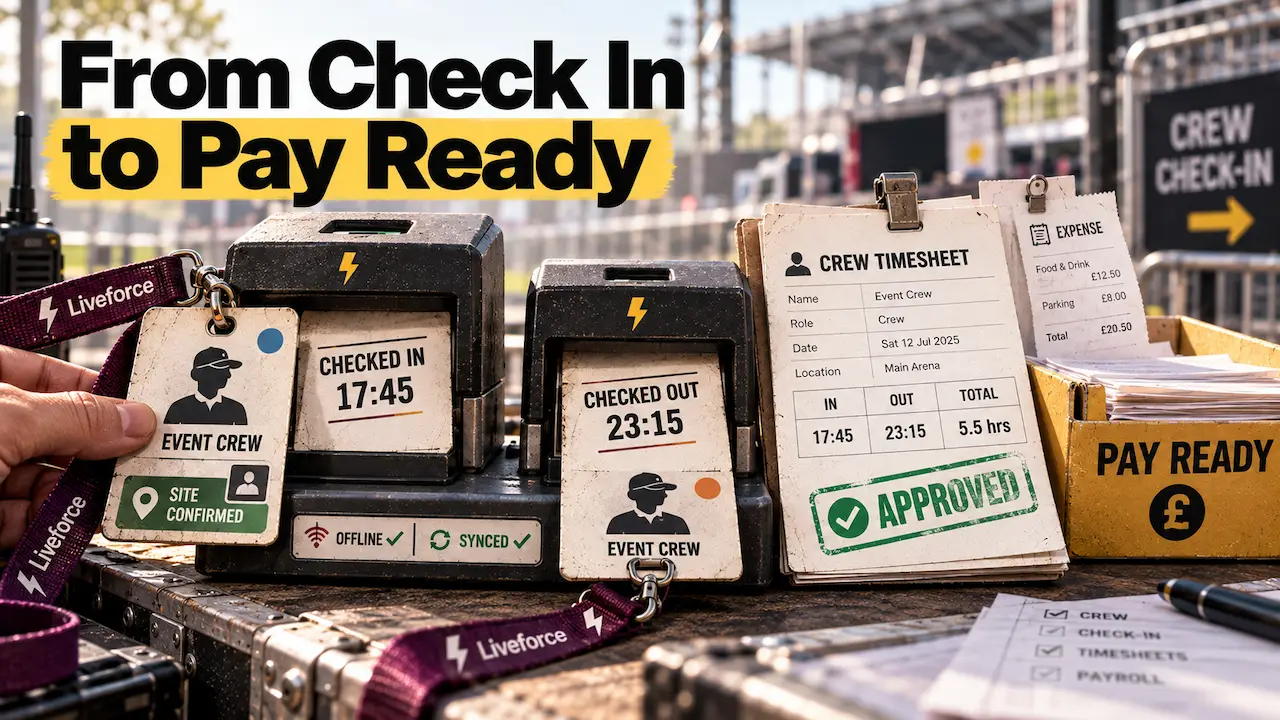
Check-in and timesheet features must prove who worked, where, and for how long. Then they turn those hours into approved, payroll-ready records. They replace paper sign-in sheets, timesheets chased by text, and hours retyped into payroll.
Look for phone check-in with location and photo, inside a radius set around the site. Crew check in and out on their own phone, and the office sees live attendance, late arrivals included. Location is recorded at check-in and check-out to confirm the right site.
Festival fields and stadium loading bays often have poor signal. Check-ins should keep working there and sync once the connection returns.
Check-in and check-out times then become the timesheet. Overtime rules should apply automatically, and bulk edits should fix a whole job at once. An audit trail of every edit settles disputes about hours quickly. The office can then approve timesheets after each shift, while the details are fresh.
Approved hours should reach payroll without anyone typing them in again.
Most agencies keep their existing payroll provider. The software’s job is to export approved hours in the format that provider expects. Reports should split employed and self-employed crew, with expenses and receipt photos alongside.
Self-employed invoices should be checked against approved hours. Payroll and tax calculation stay with the payroll provider. Of the five event staffing software features, this one decides how long payday takes.
In a demo, check in on a phone with no signal, then export one job’s pay report.
5. Client-Ready Outputs: Crew Portfolios and Billing
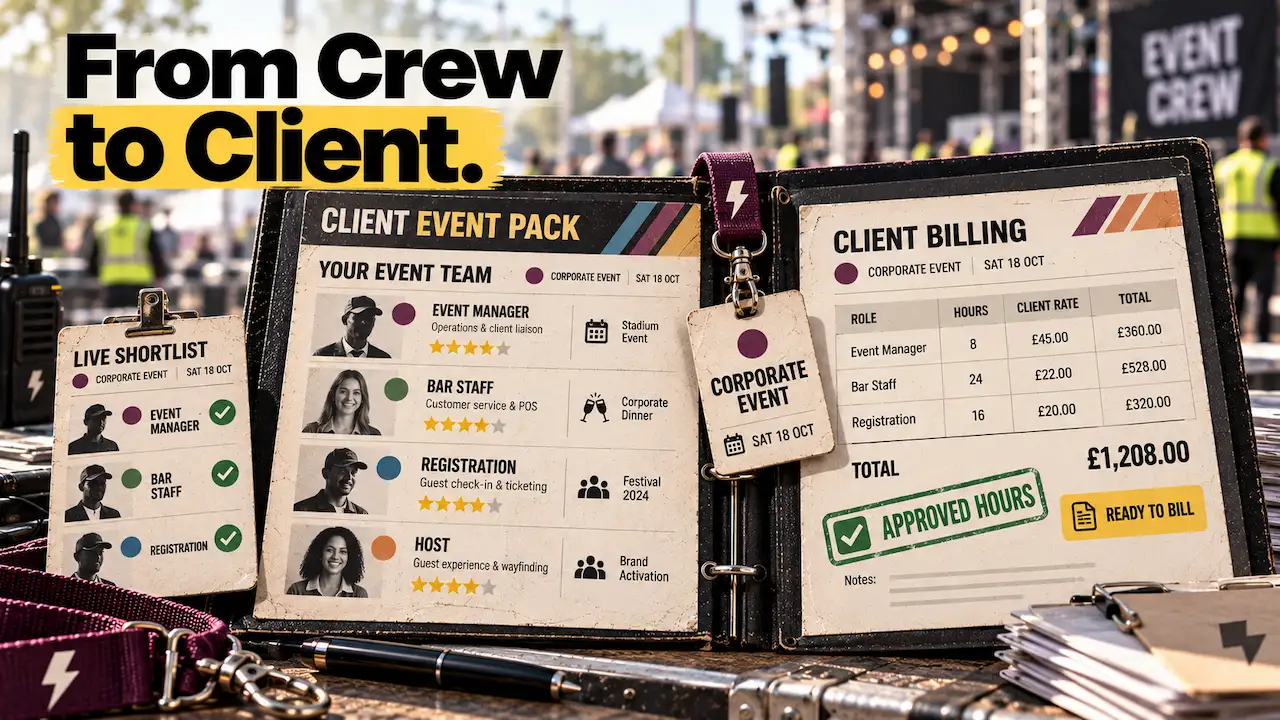
Agencies sell to clients, so the software must also show clients their team and bill them accurately. Without it, CVs get pasted into emails and invoices are rebuilt from spreadsheets.
Crew portfolios let the agency share its strongest people during a pitch. The agency decides which photos, bios, and work history appear, and the portfolio carries its branding.
For a confirmed job, a live shortlist shows the client exactly who is coming.
Billing should come from the same approved hours that produce crew payment reports. Client rates and crew rates stay connected to each shift, so nobody retypes figures. Hours and staffing costs should show per event and across a season.
Schedulers, account managers and operations should share one live view of bookings and rates. When a client asks for compliance evidence, the records should be one search away. These are the event staffing software features most generic tools leave out.
Look for software built for staffing agencies that turns approved timesheets into client billing. In a demo, send a shortlist to yourself, then pull one client’s billing from approved hours.
How to Choose Event Staffing Software: What to Prioritise First
Test the five event staffing software features against a real past event. Start with the ones your agency’s size makes most urgent. The clearest sign of value is time: how quickly one event runs from first booking to client bill.The best temporary workforce management software depends on which job sits at the centre of your business.
Each pick names the category, a couple of example tools, and where it stops fitting.
Which Features Matter Most at Each Agency Size
- Small agency: Start with scheduling, the staff pool and communication. One or two coordinators running clients from spreadsheets and WhatsApp feel those gaps first.
- Growing agency: Prioritise boards per client, check-in that becomes timesheets, and client billing. Multi-client weekends and Monday timesheets are where the hours go.
- Large agency: Look hardest at role-based access, compliance records at scale, and an API with webhooks. A named account team with SLA-backed support matters once crew numbers reach the thousands.
The right order depends on where your office loses the most hours each week.
How to Test Each Feature in a Demo
A demo built on your own data shows more than any feature tour.
- Bring a real past event: Load its clients, roles, rates and the crew who worked it.
- Bring your compliance rules: List the documents and licences each role needs before anyone is booked.
- Ask for a payroll export: It should arrive in the format your payroll provider already uses.
- Hand one crew member the app: Ask them to accept a shift and check in on their own phone.
- Cover a cancelled shift live: Time how long the office takes to fill it from its own pool.
Event Staffing Tools That Solve a Different Problem
Three other event staffing tools often reach the same shortlist. Standalone recruitment systems advertise roles and screen candidates before anyone joins a pool.
On-demand marketplaces supply workers the agency does not manage. Attendee and registration software runs the guest side of an event.
None of the three runs an agency’s own crew across clients.
How Liveforce Covers All Five Event Staffing Software Features
Many agencies run these five jobs in five places. A rota spreadsheet, a contacts list and a group chat each hold part of the picture. So do paper sign-in sheets and an invoicing spreadsheet. Every change gets typed in several times, and each copy drifts from the others.
Liveforce is event staffing software built for agencies and suppliers running temporary and freelance teams across many clients. Separate boards per client flag clashes as bookings are made.
Each worker has one profile with ratings, documents and expiry dates. Messages go out by job, with automatic reminders to confirm and check in. Check-ins carry a location and a photo, and they become approved, payroll-ready hours.
The same timesheets produce client billing and crew payment reports, and portfolios show clients their team. Together they cover all five event staffing software features from one system.
Promotional, hospitality, catering, festival and venue staffing agencies use it with their own clients and rules. Crew use the Crew App on their phone or in a browser, branded to the agency if required.
The agency recruits, employs and pays its crew, and Liveforce is the system it runs them on.
Profiles Personnel, an event staffing agency in Farnham, shows what that looks like. Its events desk once booked temps in pencil and rubbed out cancellations. It now runs every booking from one system. Fran Dancona, its training and operations manager, says the boards show “who is booked in for the whole week“.
Choosing Features That Hold Up on Event Day
Any vendor can show a list of features. The useful test is whether the software runs one of your own events, from first booking to client bill. Shortlist only the tools that pass all five demo tests with your clients, rates, and crew loaded.
The event staffing software features that pass that test are the ones that still work in peak season.
Bring one of last month’s events and your crew spreadsheet to a Liveforce demo. The team can show all five features running on your own clients, rates, and crew. Existing crew records come across in one bulk import, so the first event runs on real data.
FAQs: Event Staffing Software Features
Which event staffing software features handle payroll?
Timesheet and export features handle payroll by turning approved hours into reports in your provider’s format. Liveforce exports customised reports for employed and self-employed crew. Payroll and tax calculation stay with your payroll provider.
Why do event agencies need specialised software instead of an HR system?
An HR system manages a settled team of employees on regular hours. Event agencies manage a changing crew pool across many clients, sites and short shifts. They need live availability, briefings, on-site check-in and billing per client.
Can one system manage employed and self-employed crew together?
Yes, if it supports separate profile types and separate payment reports. Liveforce keeps employed staff, self-employed contractors and volunteers in one pool. Self-employed crew are prompted for invoices, which are checked against approved hours.
Which event staffing software features protect crew data?
Look for role-based access, an audit trail, data retention rules and independent certification. Liveforce is SOC 2 Type II and ISO 27001 certified and GDPR compliant. Each person in your team sees only the data their role needs.
Can event staffing software connect to a CRM or other systems?
Check for a public API and webhooks first, because pre-built connectors vary between platforms. Liveforce offers both today, with documentation at docs.liveforce.co. Its pre-built CRM, payroll and accounting connectors are still in development.