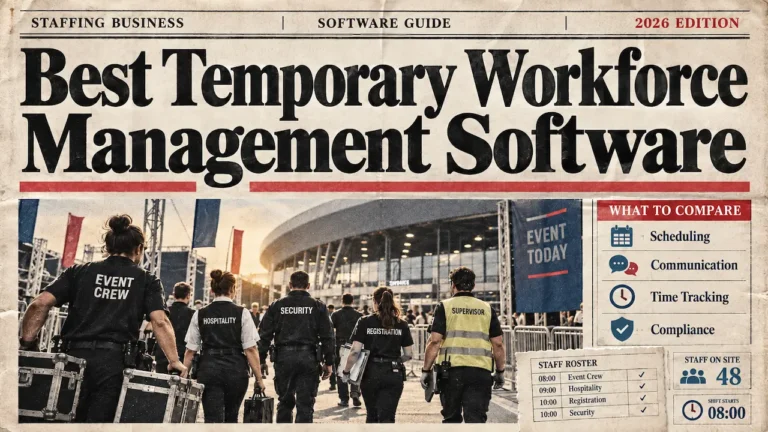
How to manage a staffing agency comes down to four daily jobs for the crew it deploys. Schedule them across clients and keep their compliance records in order. Turn approved hours into pay and invoices, and keep everyone informed. Most event-led agencies run all four for several clients at once.
Owners and operations leads at growing agencies feel those jobs pull against each other. A client asks for six more waiting staff on Thursday. Two crew drop out on Friday, and payroll closes on Monday. The agencies that stay calm through that week follow a fixed daily routine.
They also work from one shared record, usually a workforce management platform holding rotas, documents, messages, and hours. That routine is the core of workforce management for agencies, from solo operators to multi-site teams.
What Managing a Staffing Agency Involves
Managing a staffing agency means running the people already in your pool across every client booking.
Five areas carry the work:
- Scheduling
- Compliance
- Timesheets and pay
- Communication, and
- The data behind them.
Anyone asking how to manage a staffing agency is asking how to keep those five steady at once.
Two jobs sit outside that scope. Bringing new candidates into the pool is recruitment, usually run on recruitment software. Managing the office team, with its targets and one-to-ones, is a separate job again.
Recruitment software finds and places candidates, and workforce management software runs the people an agency already has.
The workers need managing too, from onboarding to keeping good people coming back. That side has its own guide on how to manage a temporary workforce. Setting up a new business is covered separately, in the guide to starting an event staffing agency. This guide on how to manage a staffing agency assumes existing clients, crew and bookings.
Most daily problems trace back to one of the five areas. Table below maps the symptoms agencies see most often to their cause and the fix.
Where an agency's week breaks, and what fixes it
Pick a view to trace each problem back to its fix.
Before the shift
Scheduling
SymptomDouble bookings across clients
Root causeAvailability kept in several places
FixOne live view of availability and bookings across every client
Compliance
SymptomAn expired document on a live shift
Root causeRecords spread across folders and inboxes
FixDocuments and expiry dates on each worker's record, checked before booking
On the day
Attendance
SymptomNo-shows and late arrivals
Root causeCall times sent in group chats, with no confirmation
FixConfirmation requests, clear call times and a cover list from your own pool
Communication
SymptomCrew miss a change of venue or time
Root causeUpdates scattered across WhatsApp, texts and calls
FixShift-linked messages with a record of who has read them
After the shift
Timesheets and pay
SymptomDisputed hours and unbilled time
Root causeHours re-keyed from paper or messages
FixHours captured against the shift, approved, then exported for payroll and invoicing
All week
Data
SymptomNobody can see the whole week
Root causeFive tools that do not share information
FixOne system of record for people, shifts and hours
Switch to root cause to see what these six problems share.
Nearly every cause comes down to information kept in more than one place.
Every fix depends on one shared record for people, shifts and hours.
A Daily Operations Checklist for a Staffing Agency
A daily operations checklist keeps the routine identical on quiet days and busy ones.
Run it first thing, before the phones start. It suits a solo owner covering two clients and an ops team covering ten. For anyone learning how to manage a staffing agency, this is the habit to build first.
- Confirm the next 48 hours. Confirm every shift for today and tomorrow, and chase anyone who hasn’t replied.
- Fill gaps from your own pool. Offer open shifts to available, qualified people first, and keep a short reserve list.
- Check documents against today’s placements. Make sure right-to-work records and role certificates are current for everyone working.
- Brief crew and watch check-ins. Send call times, venue details, and dress code, then flag anyone who hasn’t checked in.
- Approve yesterday’s hours. Sign off timesheets while the shift is fresh, so payroll and invoices run on accurate data.
The list takes minutes when rotas, records and hours sit in one system. On spreadsheets and group chats, every line means another search. Keep the order the same every day, so a missed step shows up straight away.
Run the checklist again at 4pm for tomorrow’s shifts, while gaps are still easy to fill.
Scheduling, Availability and No-Shows Across Clients
Scheduling across clients works when availability, skills and existing bookings sit in one view. The coordinator can then book people who are free and qualified, and see clashes before they happen.
One pool might cover a stadium fixture, a two-day conference and a wedding in the same weekend. The same bartender is free for all three, but can only work one. Availability also changes daily, as crew take other work or fall ill.
A rota that cannot show every client at once produces double bookings.
- Tools built for scheduling crew across clients check each booking against the whole week.
- Agencies running several events at once also need each client’s roles, sites and briefings kept separate.
Book from confirmed availability, and ask crew to update it every week.
How to Reduce No-Shows and Late Arrivals
Agencies reduce no-shows by confirming every shift twice, sending clear call times and keeping cover ready. Confirm at booking, then again 24 to 48 hours before the shift. Anyone who has not replied goes on the chase list until they confirm.
Late arrivals often come from unclear details. Give a call time, a meeting point, parking or transport notes, and a named contact on site. Set the call time 15 to 30 minutes before service, leaving time for the briefing.
When someone drops out, the first hour counts. Offer the shift to available, qualified people in your pool first. Keep a short reserve list for big days. A process to fill gaps from your own pool turns a 7am drop-out into a routine task. Track no-shows by person too. A single missed shift needs a conversation, and a repeated pattern should change who gets booked.
Unanswered confirmations the day before are the earliest sign of a no-show.
Staffing Agency Compliance, Documents and Audit Readiness
Staffing agency compliance means holding current, checkable records for everyone you place and producing them quickly. The agency carries out the checks. Its systems keep the evidence organised and easy to find.
Right-to-work checks come first, and they must happen before someone’s first shift. The Home Office sets civil penalties of up to £45,000 per illegal worker for a first breach. Repeat breaches within three years can reach £60,000 per worker (Home Office, 2024). Where permission is time-limited, the agency also needs a follow-up check before it expires. Each person’s expiry date should sit on their record, where the coordinator sees it before booking.
Role-specific records matter as well. Door supervisors need a valid SIA licence, and catering crew often need food hygiene training. Crew working for several clients also need their total hours checked against Working Time limits. Those limits cover weekly hours and rest breaks.
Clients test all of this in audits. Stadiums, festivals and corporate clients often ask for evidence before crew arrive. When a client asks, the answer should take minutes. Agencies that keep compliance records organised can spot a missing document before the rota goes out.
Keep a copy of every check and the date it was carried out.
Timesheets, Pay Runs and Invoicing
Agencies manage rostering, timesheets and pay runs as one chain. The rota says who should work. The timesheet records what they worked. Approval then releases those hours to payroll and client invoices. Much of how to manage a staffing agency profitably sits in this chain.
Money leaks at every hand-off. Paper sheets get lost, photos arrive blurred, and “finished at 11.30” sits in a WhatsApp thread. Hours are re-keyed into payroll, then keyed again into each client’s invoice. Overtime a client approved on the night can miss the invoice entirely. Every hour paid to crew but not billed to the client comes straight off the margin.
A steady weekly rhythm fixes most of this. Capture hours against the shift, ideally at check-out. Approve them daily, while supervisors still remember the night. Lock the week on a set day and export to payroll. Invoice each client from the same approved hours.
Tools that approve timesheets after each shift make that rhythm the default. Approved hours also drive holiday accrual for crew on irregular hours, so errors carry into later pay runs.
Hold the client charge rate and the crew pay rate on every shift record.
Communication Across Crew and Clients
Good communication means every change reaches the right crew, and the agency can see who has read it. Briefings carry most of the load. Each one should include the venue, call time, dress code, role notes and an on-site contact.
Changes at scale are harder. A WhatsApp group of 80 people buries a venue change under replies, and nobody knows who missed it. Shift-linked messages go only to the people on that shift, with a record of who opened them. Moving shift updates and briefings off group chats also stops crew numbers being shared with everyone.
The client side needs the same discipline. Agree one contact per event and confirm the headcount the day before. When a client raises feedback about a worker, log it on that person’s record the same day. Then speak to the worker, and adjust future bookings if the issue repeats. That loop protects the client relationship and treats crew fairly.
Confirm the next day’s headcount with each client by mid-afternoon.
Managing Your Data, Systems and What to Track
Managing staffing agency data means keeping one accurate record of people, shifts and hours, and protecting it. Most agencies outgrow scattered tools in the same order. The rota, availability, documents, messages and timesheets each end up somewhere different.
Five tools mean five versions of the same week. A simple question, like who worked for which client last month, takes a morning of copying. Costs hide in the gaps too: admin hours, unbilled time and last-minute cover at premium rates. Owners asking how to manage a staffing agency’s costs should start by joining those records up.
Crew data needs care as well. Agencies hold contact details, right-to-work documents and bank details for hundreds of people. That brings UK GDPR duties on access, storage and deletion. Check any system against published data security and GDPR standards before moving crew records into it.
When leaving spreadsheets, move worker records first, then rotas, then timesheets.
Staffing Agency KPIs to Track Each Week
Five numbers show whether the daily routine is working. Track them weekly, by client and across the whole agency.
- Fill rate. The share of requested shifts filled with confirmed crew. A falling rate means the pool no longer matches demand.
- No-show rate. The share of confirmed shifts where the person did not arrive. Track it by person and by client.
- Time to cover. How long a dropped shift stays open before someone confirms. Shorter times protect the client relationship.
- Timesheet approval turnaround. The days between a shift ending and its hours being approved. Slow approval delays pay and invoices.
- Unconfirmed shifts in the next 48 hours. Bookings still waiting for a reply. This is the earliest warning of a gap.
Review the five numbers every Monday, before the new week’s rota is finalised.
How Liveforce Helps You Run the Operation
Run an agency long enough and the five areas stop fitting in separate tools. The rota lives in one place and availability in another. Documents sit in a folder, hours in a spreadsheet, and messages on WhatsApp. Something slips, and a single no-show turns into a crisis.
Liveforce is the workforce management platform event-led agencies use to run all of it in one place.
Coordinators schedule crew across clients and events, replacing spreadsheets and generic rota tools. Each worker has one record holding availability, roles, skills, and the documents the agency collects.
Shift updates and briefings go out through the platform, with a record of who has read them. When someone drops out, coordinators fill the gap from the agency’s own pool. Timesheets tie to each shift and become approved hours, ready to export for payroll and invoicing.
Coordinators see shifts, people, documents and hours for every client in one view.
CASE STUDY EXAMPLE:
Liveforce runs the workforce an agency already has. It does not source, place or pay staff, and payroll stays in the agency’s own system. Rollin Hero Staffing manages more than 1,000 hospitality staff across seven US states this way. Bookings, event details and confirmations used to move by phone, text and personal contact lists. Now each booked client event goes into Liveforce, staff are assigned there, and updates go through the platform. Its founder, Tommy Oliver, says efficiency “has definitely gone up“.
The platform is built for event, festival, hospitality and promotional staffing agencies, and venues with large temporary teams. Crew see their shifts, confirm availability and receive updates in the Crew App.
Keeping Every Client Under Control at Once
Knowing how to manage a staffing agency comes down to one question each morning.
Can the team see today’s shifts, documents, messages and hours in one place? If the answer needs three tools and a phone, fix the record before adding more clients. Run the checklist for two weeks and track the five numbers alongside it.
The step that keeps breaking is the part of the operation that needs a better system.
Running Crew for Several Clients This Season?
Autumn and winter bring conferences, Christmas parties and stadium fixtures, often in the same week.
Liveforce gives growing and multi-site agencies one place to schedule crew, keep records, send updates and approve hours.
Book a demo and walk through one of your own client weeks.
How to Manage a Staffing Agency: FAQs
How do you manage a staffing agency?
You manage a staffing agency by running four jobs every day for the crew you deploy. Schedule crew across clients, keep compliance records current, turn hours into pay and invoices, and keep crew informed. Most agencies do all four for several clients at once.
How do agencies manage rostering, timesheets and pay runs?
Agencies treat rostering, timesheets and pay runs as one chain. Crew are rostered against confirmed availability, and hours are captured against each shift. Approved hours then flow into payroll and client invoices without re-keying.
How do you reduce no-shows in a staffing agency?
Confirm each shift at booking and again the day before. Send a clear call time, meeting point and on-site contact. Keep a reserve list from your own pool too. Track no-shows by person, so a pattern gets a conversation early.
What should a staffing agency track to manage its workforce?
Track five numbers: fill rate, no-show rate and time to cover a dropped shift. Add timesheet approval turnaround and shifts still unconfirmed for the next 48 hours. Together, they show whether the daily routine is working before a client notices a problem.
Should a staffing agency run everything on one platform?
Once an agency serves several clients, one system for rotas, records, messages and hours removes gaps between tools. Those gaps are where double bookings, missed updates and unbilled hours usually start.