There is no single best temporary workforce management software: each type of tool does a different job.
- Recruitment CRMs source candidates,
- Marketplaces fill shifts on demand, and
- Rota tools plan simple schedules.
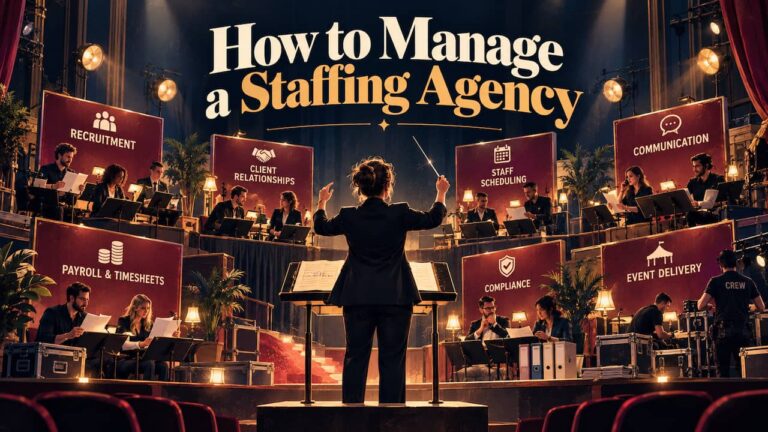
A workforce management platform like Liveforce runs an agency’s own temporary crew across events.
Liveforce makes a workforce management platform for event-led agencies, so it is one of the options here. The picks below say plainly where it fits and where another type of tool is the better buy.
They are written for operations leads at staffing, promotional, hospitality, and festival agencies. Venues that run a temporary workforce of their own can apply the same logic. Each section names the best fit for one job, matched to the work your team does every day.
VMS vs ATS vs WFM: Which Category Do You Need?
Temporary staffing software falls into five categories, and each is built around a different job. The labels get used loosely, so it helps to pin them down before comparing tools. Four are things an agency might buy. The fifth usually belongs to the agency’s client.
Name the job first, and the category follows.
- Applicant tracking system (ATS) or recruitment CRM. It moves candidates from application to placement and manages the client relationships around them. Recruitment agencies run on it.
- Vendor management system (VMS). A large client uses it to manage several staffing suppliers, from orders and rates to invoices. Agencies usually log in to a client’s VMS as one of those suppliers.
- On-demand staffing marketplace. A business posts shifts and books workers from the platform’s own registered pool. The platform holds the worker relationship.
- Rota or scheduling tool. It builds weekly rotas for an employer’s own team, often with a time clock and leave requests. It suits one business with a stable staff list.
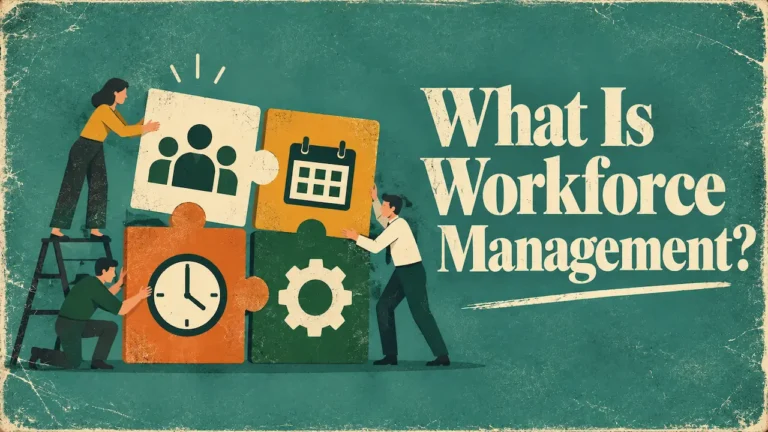
- Workforce management (WFM) platform. It runs the people an agency already has, from scheduling across clients to briefings, check-ins, and hours. The agency owns the pool and the relationship.
A VMS belongs to the client, so most agencies never need to buy one.
When a client does mandate a VMS, the agency still needs its own system for the crew. The VMS records what the client ordered and what it will be invoiced. The agency’s workforce management platform decides who works each shift and tracks the hours.
A general HR or payroll system fits none of these jobs well. It is built for permanent employees on fixed contracts, and temporary work moves faster. Around 872,000 temporary or contract workers were on assignment on any given day in 2024 (REC, 2024/25).
Each assignment needs booking, briefing, confirmation, and turning into approved hours, often within days. HR software keeps good employee records. It is not designed to deploy people shift by shift across clients.
Agencies that also make permanent placements can compare software for staffing agencies across both models. For temporary and event crews, the category decides most of the shortlist.
Pin down the category first, and the best temporary workforce management software is easier to spot.
How the Categories Compare
The best temporary workforce management software for one agency can be the wrong buy for the next. The table puts the four categories an agency might buy side by side.
Each row names example tools and the point where that category falls short for event-led work. The rows run in no particular order, and the examples illustrate each category.
What fills most of your week?
Swipe to see all columns →
| Category | Best for | Example tools | Where it falls short for an event-led agency |
|---|---|---|---|
| Recruitment CRM or ATS | Sourcing candidates and managing placements | Bullhorn ↗ (opens in a new tab)Vincere ↗ (opens in a new tab) | Built around the journey to a placement. Weekly shift work across events sits outside its core. |
| On-demand staffing marketplace | Filling shifts at short notice without a pool of your own | Indeed Flex ↗ (opens in a new tab)Coople ↗ (opens in a new tab) | Workers are registered with the platform, which holds the relationship. An agency selling its own crew gives that up. |
| Rota or scheduling tool | Weekly rotas for one employer's stable team | RotaCloud ↗ (opens in a new tab)When I Work ↗ (opens in a new tab) | Designed around a single employer. Many clients, changing venues and a freelance pool stretch it. |
| Workforce management platform | Running your own temporary crew across clients and events | Liveforce | Does not source candidates, supply workers or run payroll. You bring the crew, and the platform manages it. |
Rows are in no particular order.
Start with the left column and find the job that fills most of your week. Recruitment-led firms spend it on candidates and clients. Event-led agencies spend it on shifts, last-minute changes, briefings, and hours.
A promotional agency with sampling teams in three cities has a different week from a permanent recruiter. Some agencies run two categories side by side. A recruitment tool brings people in, and workforce management runs them.
The right category is the one built around the work your office does every day.
The Best Temporary Workforce Management Software for Each Job
The best temporary workforce management software depends on which job sits at the centre of your business.
Each pick names the category, a couple of example tools, and where it stops fitting.
Best for Sourcing and Placing Staff: A Recruitment CRM or ATS
If your business finds candidates and places them with clients, buy a recruitment CRM or ATS.
Bullhorn is a widely used example:
- A combined ATS and
- CRM for staffing and recruitment firms.
Vincere is another recruitment CRM and ATS used by UK agencies. Both handle candidate pipelines, client relationships, and placements well.
These systems are built around the journey to a placement. Once someone is on your books for the season, the daily work changes. It becomes availability, shift changes, briefings, check-ins, and timesheets across several clients at once. If recruiting is your main job, this is the category to buy, and Liveforce is not the pick.
Recruitment software gets people onto your books. Running their week is a separate job.
Best for On-Demand Shift Fill: A Staffing Marketplace
A staffing marketplace suits a business with no pool of its own. It fills gaps at short notice.
In the UK, Indeed Flex and Coople are established examples. A business posts shifts, and workers registered with the platform book them. The platform handles vetting, and both let you keep a list of favourite workers over time. A business using one buys filled shifts. The ratings, vetting and work history behind each worker stay with the platform.
For a venue covering an unexpected gap, that can be the right trade. For an agency, the model points the other way. The crew is what the agency sells, and in a marketplace the worker relationship sits with the platform. If on-demand fill is what you need, choose a marketplace, because Liveforce does not supply workers.
If your crew is your product, keep the pool in a system you control.
Best for Simple Rotas for a Stable Team: A Scheduling Tool
A rota tool is the right buy for a business scheduling its own stable team.
RotaCloud, a UK rota tool, covers rotas, time and attendance, and leave for shift-based teams.
When I Work does a similar job, with scheduling, a time clock and team messaging for hourly staff. A café or a single bar with a fixed staff list will be well served by either.
Agency work stretches a single-employer rota in predictable places. One week might cover five clients, three venues and a freelance pool that changes daily. Each client brings its own rates, rules and briefings.
A side-by-side of rota tools against agency software covers the detail. Most single-site teams never hit those limits, and they should not buy software built for agency complexity. For a simple single-site rota, a scheduling tool is the simpler pick.
Rota tools plan one team’s week well. Agency work means many clients’ weeks at once.
Best for Running Your Own Temporary Crew: Workforce Management
A workforce management platform fits when the job is running your own people across many events and clients.
This is Liveforce’s category, and it is the pick here, with the disclosure above in mind.
It suits:
- Event staffing
- Promotional
- Hospitality and
- Festival agencies
- Plus venues with large casual teams
Good software in this category handles the whole week in one place.
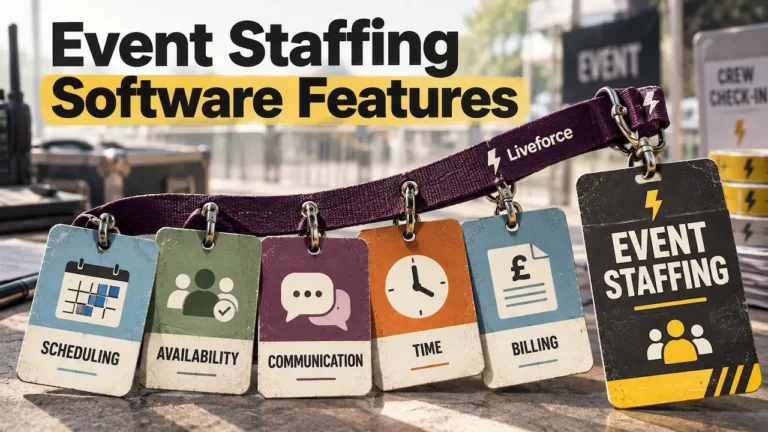
It lets you schedule crew across clients without double-booking anyone. It holds a central worker pool with availability, roles, skills, and the documents your agency keeps up to date. It sends briefings and changes in real time. It checks crew in on arrival and turns shifts into approved hours.
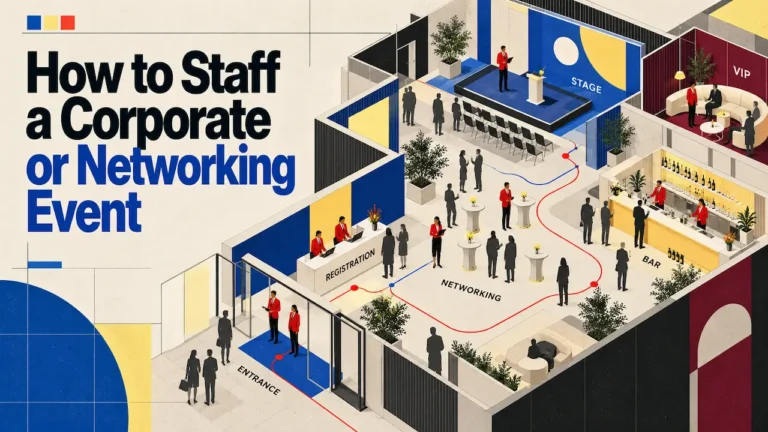
Picture a Friday with a stadium hospitality shift, a sampling team in Leeds and a conference crew in London. One coordinator needs to see all three, move a crew member between them, and know who has confirmed.
For event-led agencies running their own crew, this is the best temporary workforce management software category. It does not find candidates or supply workers. If you need either, add a recruitment tool or use a marketplace alongside it.
Workforce management runs the crew you already have, from first booking to approved hours.
What to Look for in Temporary Workforce Management Software
Test every shortlisted tool against your busiest week of last season. These five checks show whether temporary workforce management software was built for event work.
- Scheduling across clients and venues. One coordinator should see every event on one screen and book crew without clashes.
- A worker pool you can search. Availability, roles, skills, and documents should sit against each person, so the right people surface quickly.
- Communication that replaces group chats. Briefings and changes should reach the right crew from one place, and show who has read them.
- Check-in and hours that feed payroll. Arrival times should flow into timesheets, giving you hours ready for payroll and the client invoice. Payroll itself stays in your payroll system.
- A crew app your staff will use. Adoption decides whether the system works, so check the crew side. Agencies that want their own branding should ask about a white-label crew app.
Bring your hardest week of last season to every demo.
Ask the vendor to rebuild it live, with a 6pm client change and two morning dropouts. Count how many screens each fix takes. Then ask who supports your team after go-live and how office staff is trained. If you are moving off spreadsheets, ask how your existing records come across.
Onboarding belongs on the checklist too. New starters should upload documents and complete induction before their first booking, so the pool grows without paperwork. Clients also ask who was on site and when. Check-in records give the agency an answer it can show.
Shift confirmations deserve a close look. When crew confirm each shift in an app, gaps show up days before the event. That leaves time to fill them from your own pool and keeps no-shows down.
Size shifts the emphasis more than the category. For a small agency, the best temporary workforce management software is the one it can set up quickly. It should run without adding admin. A large or multi-client agency should also test permissions, reporting by client and performance with thousands of profiles.
A small agency should favour quick setup. A large one should test control at volume.
Running Your Own Crew?
Agencies usually start looking at workforce management when the spreadsheet stops matching reality.
Briefings get lost in WhatsApp groups, and timesheets are chased by hand. That is the gap Liveforce is built for: workforce management for agencies that run their own crew.
In practice, it covers the checks above in one system. Crew are scheduled across clients from one view, with availability and documents kept against each person. Briefings and changes go out from the same place, and check-in times become approved hours for payroll. Crew use the app to confirm shifts and check in.
Finding, placing and paying staff stay with the agency.
Its users include promotional, experiential and hospitality agencies, teams running festival crews and venues with large casual teams.
See a Real Week Run in Liveforce
If you run promotional, hospitality or festival crews for several clients, pick a real week from last season. Book a demo, and the Liveforce team will rebuild it with you. You will see how that week runs, from the first booking to the final timesheet.
Best Temporary Workforce Management Software: FAQs
What Is a VMS, and Does a Temporary Staffing Agency Need One?
A vendor management system is software a large client uses to manage its staffing suppliers. It covers orders, rates and invoices across several agencies. Most agencies only meet a VMS as a supplier logging in to a client’s system. To run its own crew, an agency needs workforce management software.
Is an On-Demand Staffing Marketplace the Same as Temp Staff Management Software?
No. A marketplace lets businesses book workers from its own registered pool, and the platform holds the worker relationship. Temp staff management software runs the crew an agency or venue already has, from scheduling to approved hours.
What Should You Test When Demoing Temporary Workforce Management Software?
Ask the vendor to rebuild one real week live, including a late client change and two same-day dropouts. Check how fast you can reshuffle crew, brief them and see who has confirmed. Then ask how support and training work after go-live.
Does the Crew App Matter When Choosing Workforce Management Software?
Yes, because the system only works if crew use it to confirm shifts, read briefings and check in. Ask to see the app from a crew member’s side. Check whether it can carry your agency’s branding.
Can Venues Use Temporary Workforce Management Software, or Only Agencies?
Venues use it too. A stadium, arena or attraction with large casual teams needs the same tools as an agency. That means scheduling, a worker pool, briefings, check-in and approved hours. The main difference is that a venue usually runs many events on one site.