Staff rota software for events needs to handle a workforce that changes with every booking.
Tools like RotaCloud, Deputy, and Shiftbase are credible UK options for pubs and restaurants. They schedule the same team at the same location each week. That model breaks when the crew is 150 freelancers and the venue changes every Friday.
Event rota software needs availability collection before every booking. It needs compliance verification before every shift. And it needs a scheduling platform that works from a phone at a festival gate.
Most comparison pages rank rota tools by payroll integration, absence management, and leave tracking. Those criteria were designed for permanent teams. A venue manager running 80 casual bar staff for a weekend event does not need leave tracking.
They need to know which workers are free. They need to check compliance documents. They need to confirm everyone has the event brief. Those requirements separate a workforce database built for events from one built for a restaurant chain.
Understanding how to manage event staff at scale starts with that distinction.
Why rota software built for hospitality does not work for events
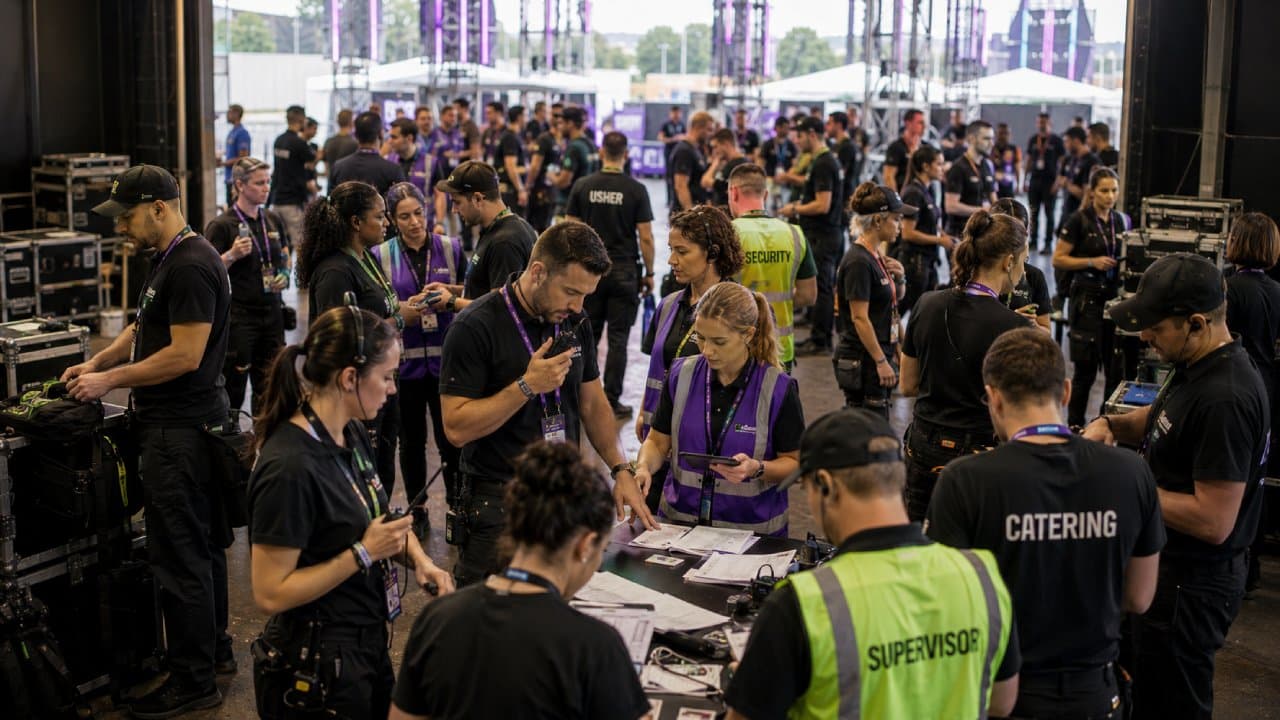
The difference between a fixed team and an event crew
A hospitality rota tool assumes the same people turn up each week. The manager knows each person by name. Roles are fixed. Availability is predictable. The rota is a pattern with small variations.
Event staffing works the opposite way. Each event starts from zero. The coordinator needs 80 people for Saturday. Thirty worked the last event. Twenty are new. The remaining thirty have not confirmed yet. Roles change too: bar, door, usher, production, catering. The rota is not a pattern. It is a project built from scratch.
Rota software built for a coffee shop and rota software built for a festival crew are not the same product.
Hospitality rota tools handle shift swaps, absence tracking, and holiday requests. Event staffing needs availability collection and compliance verification. It needs role-specific briefings and the ability to build a crew from hundreds.
These are different operational problems. The wrong tool means the coordinator works around the software.
What breaks first when you use the wrong tool
The first thing that breaks is availability. Generic rota tools assume workers have set schedules. Event workers do not. They are freelancers picking up shifts across multiple agencies. Without pre-event availability collection, the coordinator guesses who is free.
The second thing is compliance. A venue running a licensed event needs staff with valid right-to-work documents. It needs personal licence holders for alcohol service. It needs SIA badges for security roles. Hospitality tools track absence and holiday. They do not flag an expired food hygiene certificate.
The third is communication. Generic tools send shift notifications. Event staffing needs briefings: dress code, call time, parking, client rules, role instructions. A push notification saying “you are working Saturday” is not a briefing.
The consequences of choosing on price or familiarity

Where staff rota software UK buyers go wrong
Most staff rota software UK buyers compare features and pick the option that fits their budget.
Every comparison site ranks tools by criteria for permanent teams. Those criteria include payroll integration, absence management, and leave tracking.
None of those address event staffing needs. A venue manager running 20 casual bar staff for a music event does not need leave tracking. They need to know which of 120 registered workers are free this Saturday. They need to check current compliance documents. They need to confirm the crew has read the event brief.
The comparison page that helped a restaurant pick its rota tool is the wrong page for event venues.
The buyer ends up with a tool that handles the easy part of scheduling.
The hard part, the event-specific complexity, stays completely unaddressed. That is why choosing the right event staffing software starts with the operational gap, not the feature list
What free staff rota tools cannot handle at an event scale
Free rota tools like Findmyshift, Sling, and Google Sheets are a common starting point. For a venue with five permanent staff and a weekly rota, they work. For an agency managing 200 freelancers across three events in one week, they do not.
Free staff rota tools cannot track compliance documents. They cannot store right-to-work evidence or SIA badges against individual profiles. A coordinator using a free tool has no way to verify clearance before booking a worker to a licensed event.
Free tools cannot manage availability at scale either. Collecting availability from 150 workers via a shared spreadsheet produces chaos. Missed replies, outdated answers, and no audit trail of who confirmed when. Free tools cannot send event-specific briefings either. They assign a shift. They cannot attach a dress code, venue map, or client requirements to it.
A free staff rota tool that cannot track compliance documents is a rota tool for teams that never change.
Free tools also have no audit trail for disputes. When a worker queries their hours or a client checks coverage, there is no confirmation log.
That gap becomes a financial risk at event scale. The benefits of workforce management software built for events only become clear when free tools hit that wall
What to look for in staff rota software for events
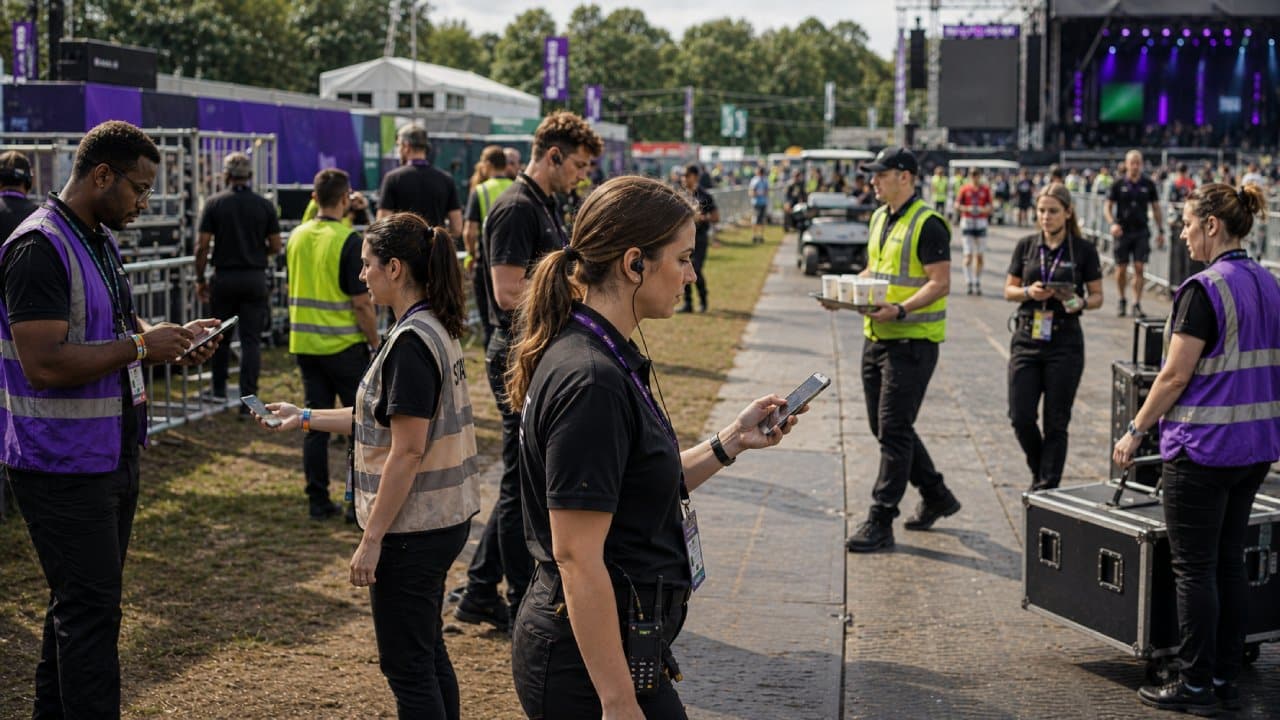
The workforce management app that works from any location
Event coordinators are not at a desk. They stand at a venue entrance or walk a festival site. The workforce management app question is not whether the software has a mobile app. Most do. The question is what it lets the coordinator do from a phone.
A mobile app that only shows the schedule is not enough. Coordinators need to fill cancellations from available workers. They need to message specific crew members and check clock-ins. They need to confirm coverage, all from their phone on site.
For an independent venue running events three nights a week, the coordinator’s phone is the control room. Liveforce’s hospitality staff scheduling software was built for exactly that setup
Compliance and availability built for a workforce that resets per event
Event staff in the UK need specific compliance documents before they can work. Right-to-work checks are legally required. Licensed venues need personal licence holders. Security roles require SIA badges. Catering events require food hygiene certificates. These are pre-booking requirements, not annual HR checks.
Event-ready rota software needs to store these documents against individual profiles. It needs to flag expired documents and prevent uncleared workers from being booked. Generic rota software does not do this. It was built for permanent employees whose compliance is managed at hire, not at every booking.
A worker’s SIA badge might be valid in January and expired by March. The rota software needs to flag that before the next booking.
Availability works the same way. Permanent staff have set days. Event workers do not. Availability must be collected before each event, not assumed from a recurring pattern. The software needs to handle a pool of hundreds, filter by role, and match workers to open positions.
Workforce management tools that handle multi-role, multi-client complexity
Independent venues run different role profiles at every event. A Saturday music night needs bar staff, door staff, and a sound tech. A Tuesday corporate hire needs ushers, catering staff, and a registration desk. Each role has different pay rates and skill requirements.
Growing agencies face the same complexity multiplied across clients. One client needs branded uniforms. Another has their own check-in process. A third requires bilingual staff. The agency’s workforce management tools need to handle this. Forcing every client into one template does not work.
Generic rota tools built for a single employer with fixed roles cannot do this. They assign people to shifts. They do not assign people to roles within events, with client-specific briefings, across multiple projects.
What to check before choosing rota software for events
| Capability to check | Why it matters for events |
|---|---|
| ✓ Pre-event availability collection | Freelance crews have different availability for every event. The software must collect it each time. |
| ✓ Compliance document storage with expiry alerts | Licensed events need verified right-to-work, SIA badges, and food hygiene certificates before booking. |
| ✓ Role-specific briefings attached to shifts | Each event has different dress codes, call times, and client rules. A shift notification is not a briefing. |
| ✓ Full mobile management for on-site coordinators | Coordinators need to fill cancellations, message crew, and track clock-ins from a phone at the venue. |
| ✓ Multi-client, multi-role scheduling | Agencies manage different clients with separate pay rates, uniforms, and processes. One template does not fit. |
| ✓ Worker pool filtering by role and clearance | A 200-person pool needs filters by skill, compliance status, and past performance to build crews fast. |
| ✓ Clock-in records and timesheet audit trail | Disputed hours at event scale become a financial risk without a confirmation log. |
These criteria separate event-ready rota tools from generic scheduling software:
- Event-by-event availability collection. The software should collect availability before each event. A pool of 200 freelancers has different availability for every job.
- Compliance document storage with expiry alerts. Right-to-work evidence, SIA badges, and food hygiene certificates stored against individual profiles and flagged before every booking.
- Role-specific briefings per event. Each event has different roles, dress codes, and client requirements. The software should attach this to each shift.
- On-site mobile management. The coordinator needs to fill cancellations, check clock-ins, and confirm coverage from a phone at the venue.
Multi-client, multi-role structure. Agencies need separate briefings, pay rates, and rules per client without forcing everything into one template.
How Liveforce works as a staff rota software for events
Liveforce is a workforce management platform built for event-led businesses. It was designed for workforces that change with every event.
Staff scheduling for event-based workforces
Liveforce scheduling is used when a venue or agency builds a rota from scratch for each event. The coordinator matches available workers to roles, locations, and client requirements. Workers confirm through the platform.
This replaces the spreadsheet rota rebuilt for every event. It replaces the group chat where availability arrives one reply at a time. It removes the version-conflict problem when two people update the same file.
Workforce database with compliance tracking
The Liveforce workforce database stores every worker’s profile, skills, and compliance documents in one place. When a worker is confirmed for a licensed venue, their documents are verified before they join the rota.
This replaces the folder of scanned documents on someone’s desktop. It replaces the WhatsApp message asking for a resent licence photo. It closes the compliance gap when a document expires between events.
Liveforce checks compliance before the booking is confirmed, not after the worker has arrived on site.
Staff communication and briefing tools
When the rota is confirmed, every worker receives their event brief through Liveforce’s communications tools. This includes role, location, dress code, call time, and client requirements. The coordinator sends one briefing. Every worker gets the information relevant to their role.
This replaces the WhatsApp broadcast with 12 follow-up messages. It replaces the email chain where the wrong brief gets forwarded. It removes the phone calls at 8pm checking whether crew have read the brief.
Mobile workforce management from any location
The Liveforce staff app gives coordinators full management capability from a phone. On-site, the coordinator can check confirmations, send updates, fill cancellations, and track clock-ins.
This replaces the laptop left at the office. It replaces the printed rota that is already out of date. It removes the 40-minute phone chain to fill one cancellation.
The consequences of using the wrong rota tool show up during the event:
- No-shows that cannot be filled. Without mobile access to available workers, the coordinator cannot replace a cancellation before doors open.
- Compliance failures at licensed events. Without document tracking, uncleared workers get assigned to restricted roles. The risk is legal.
- Disputed timesheets with no evidence. Without clock-in records, every disputed payment becomes a manual investigation.
- Client dissatisfaction from coverage gaps. Without real-time coverage data, the coordinator cannot show the client that staffing is on target.
Build your next event rota from your phone
- Liveforce lets a coordinator build a 200-person event rota from a phone on site.
- Compliance documents are verified before each booking.
- Briefings reach every worker automatically.
- Last-minute changes are handled in seconds, not hours.
That is what event rota software needs to do. Book your demo with Liveforce.
Frequently asked questions
What is the difference between general rota software and staff rota software built for events?
General rota software schedules the same team across recurring shifts at one location. Event-specific rota software builds a different crew for each event from a pool of available workers. It includes compliance checks, role-specific briefings, and availability collection before each booking.
Can a free staff rota tool handle event staffing complexity in the UK?
Free rota tools work for small permanent teams. They cannot track compliance documents like SIA badges or right-to-work evidence. They cannot collect availability from large freelance pools or attach event briefings to shifts. For UK events with licensing requirements, free tools create legal and operational gaps.
What compliance features should staff rota software for events include?
It should store right-to-work documents, alcohol licences, SIA badges, and food hygiene certificates per worker. It should flag expired documents before booking and block uncleared workers from restricted roles.
Does event-specific rota software work on mobile for on-site coordinators?
Event-specific rota software should allow full management from a phone. This includes rota changes, messaging, coverage checks, and clock-in tracking. An app that only displays the schedule is not enough for live events.
What should a venue look for when choosing rota software for casual event staff?
Venues with casual event crews need availability collection per event. They need compliance document storage with expiry alerts. They need role-based scheduling across different event types and a mobile app for on-site management. Generic hospitality rota tools will not cover these.